# SEO Agent for Umbraco
> An Umbraco AI Copilot agent that suggests meta titles and descriptions from the page's actual content. Zero configuration, never saves without you. Free on the Umbraco Marketplace.
SEO Agent for Umbraco AI Copilot
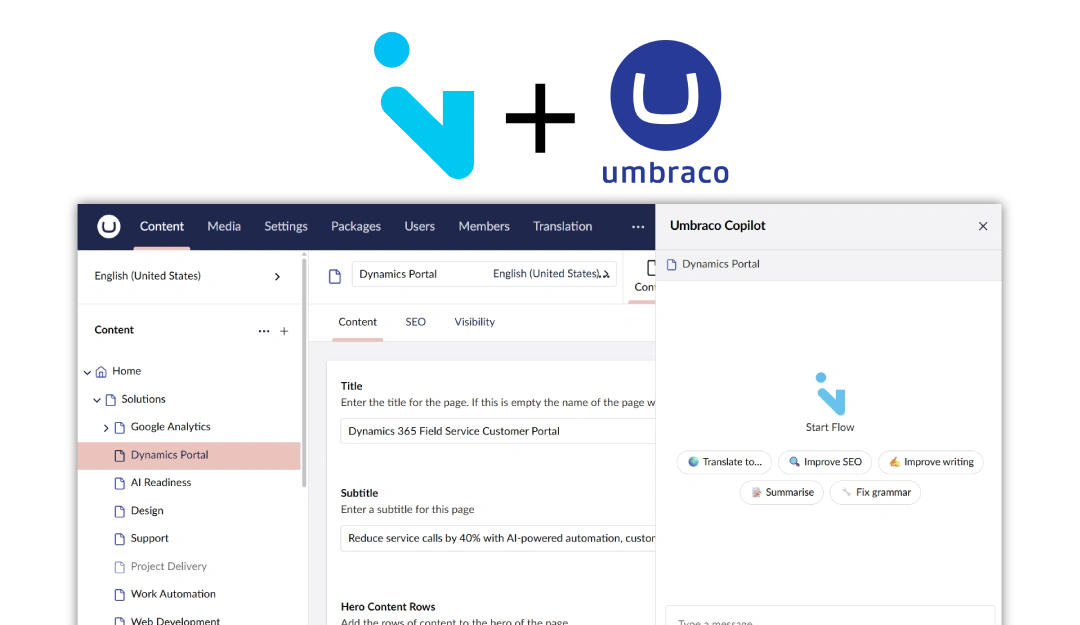
## Meta titles and descriptions written from the page's own content, staged for your review.
Typographic
Solutions / SEO Agent
## SEO fields,
written from the page
Open a page, launch the Copilot, pick the SEO Agent. It reads the page's content, finds the metadata fields - even the oddly named ones - and proposes a meta title and description that fit the character budget. You apply what you like and save.
Free on the Umbraco Marketplace. Requires Umbraco AI with a chat profile.
How it works
## One call,
one card per field
The agent makes a single model call per request and never writes to the database. Suggestions come back as cards with a character count and an explanation; Apply stages the value into the open editor, and the Save stays yours.
Meta title, meta description and other metadata properties - by name and editor type, or pinned down with one list in appsettings.
Titles aim for 60 characters, descriptions for 140 to 160, so they show in full on the results page.
On multilingual sites it reads and suggests for the culture you have open.
Also in the editor
## Not only
in the Copilot
pencil-simple-line
Each SEO property's action menu gets Suggest SEO value: write from the page, shorten to fit, or rewrite around a keyword.
list-checks
Every field with its value and length against budget, and a Generate control each - no Copilot needed.
robot
Install AEO and the panel adds an AI-readiness score with per-check findings and Fix buttons for the ones it can fix.
With Flowcourier AEO
For developers
Up and running in four steps
The short version. The full guide with screenshots, configuration reference and troubleshooting is in the developer docs.
Install the Umbraco AI Copilot and create a chat profile with your LLM provider. The agent needs a default chat profile to appear.
Backoffice
dotnet add package Flowcourier.Umbraco.AI.Agents.Seo. No composer or startup code.
Terminal
On the next startup the agent registers itself with the Copilot. Open any page, launch the Copilot and pick the SEO Agent.
Umbraco
Leave Flowcourier:Seo:Fields empty and the model finds your SEO fields itself, or list the property aliases you want filled, for example metaName and metaDescription.
appsettings.json
## Common questions
What do I need before installing?
Umbraco 17.5 or later with the Umbraco AI Copilot and a chat profile configured with your LLM provider, for example OpenAI or Anthropic.
Does it change my content?
No. It reads the page, proposes values and stages them into the open editor. Nothing is saved until you click Save.
Does it fill in meta keywords?
Not by default - search engines ignore them. List a keywords field explicitly in the configuration if you want it populated.
Is it free?
Yes. Free to use, including commercially, under the Flowcourier licence.
SEO Agent, Translation Agent and analytics in the Copilot install from one package. We can set it up together with your chat profile.
Beige band