Do you know what AI
does on your site?

We didn't, so we built something to find out. On its first full day on our site it counted 136 visits from AI crawlers - none of them visible in normal analytics. About 8% were live assistants reading our pages to answer someone's question right then. AEO shows you that traffic, and serves your content in the formats answer engines read - llms.txt, any page as Markdown, verified structured data - so they can cite you. No editor work, no content changes.
Free on the Umbraco Marketplace. No Umbraco AI, no LLM provider, no API key.
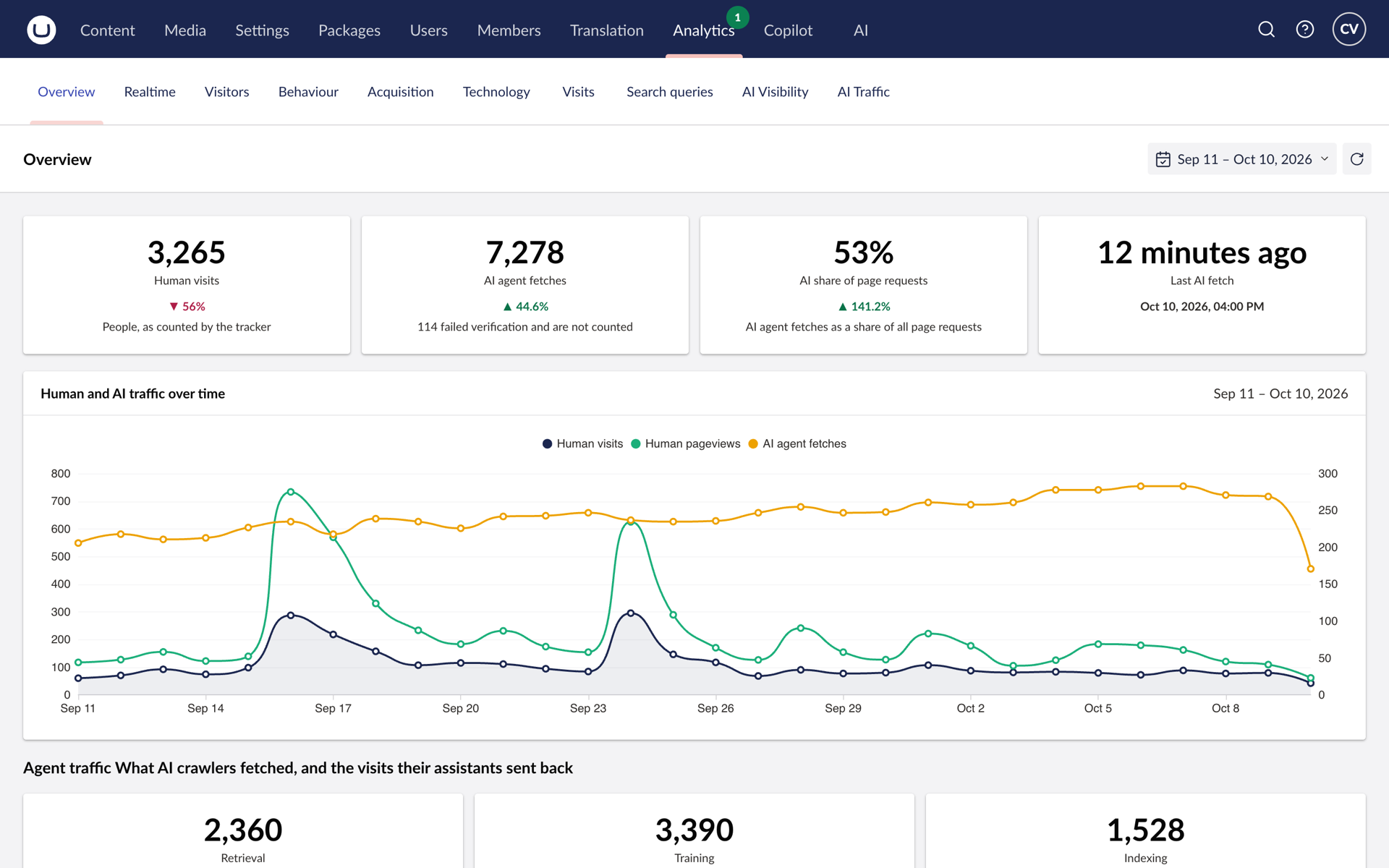
AI-crawler analytics
in the backoffice
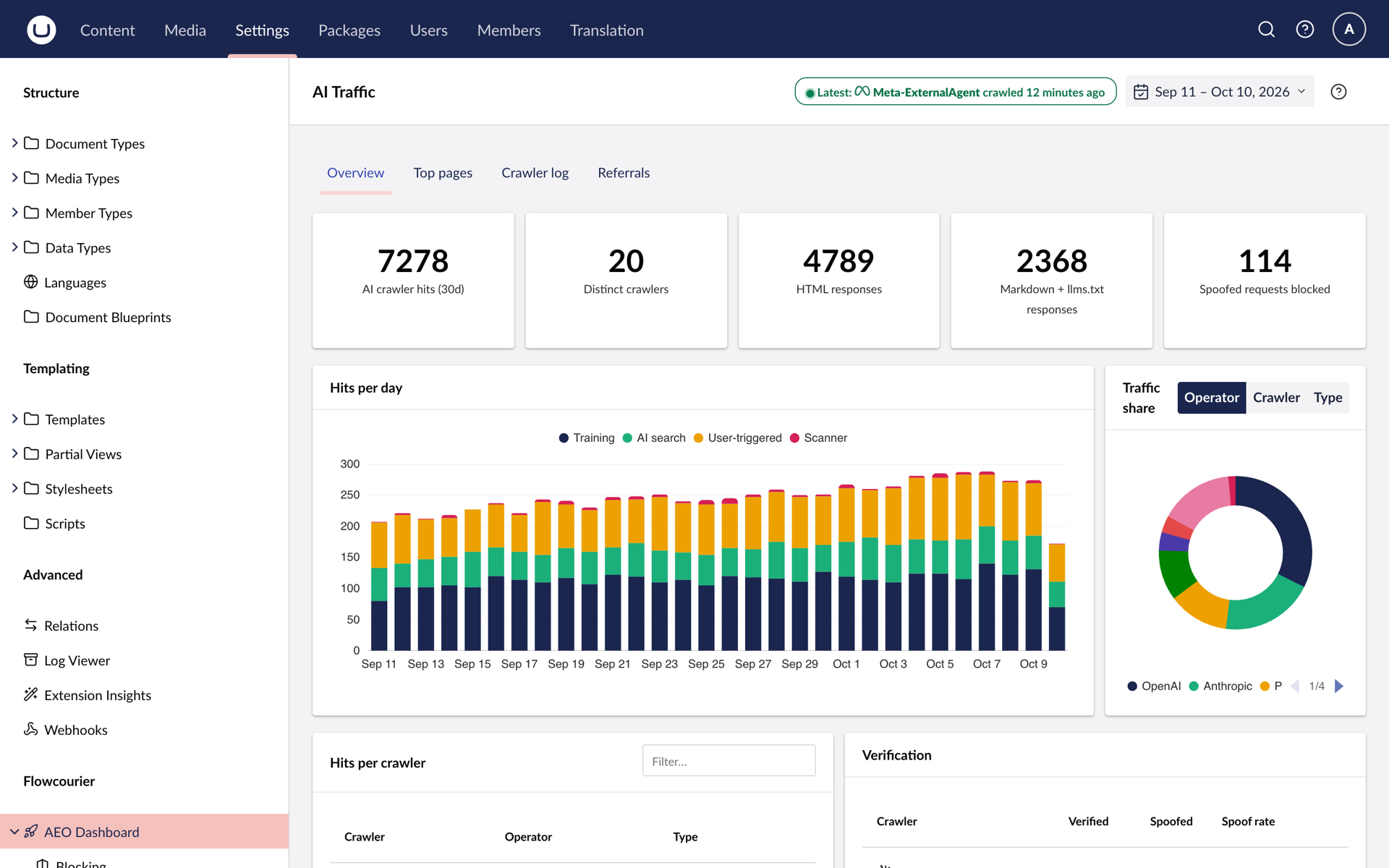
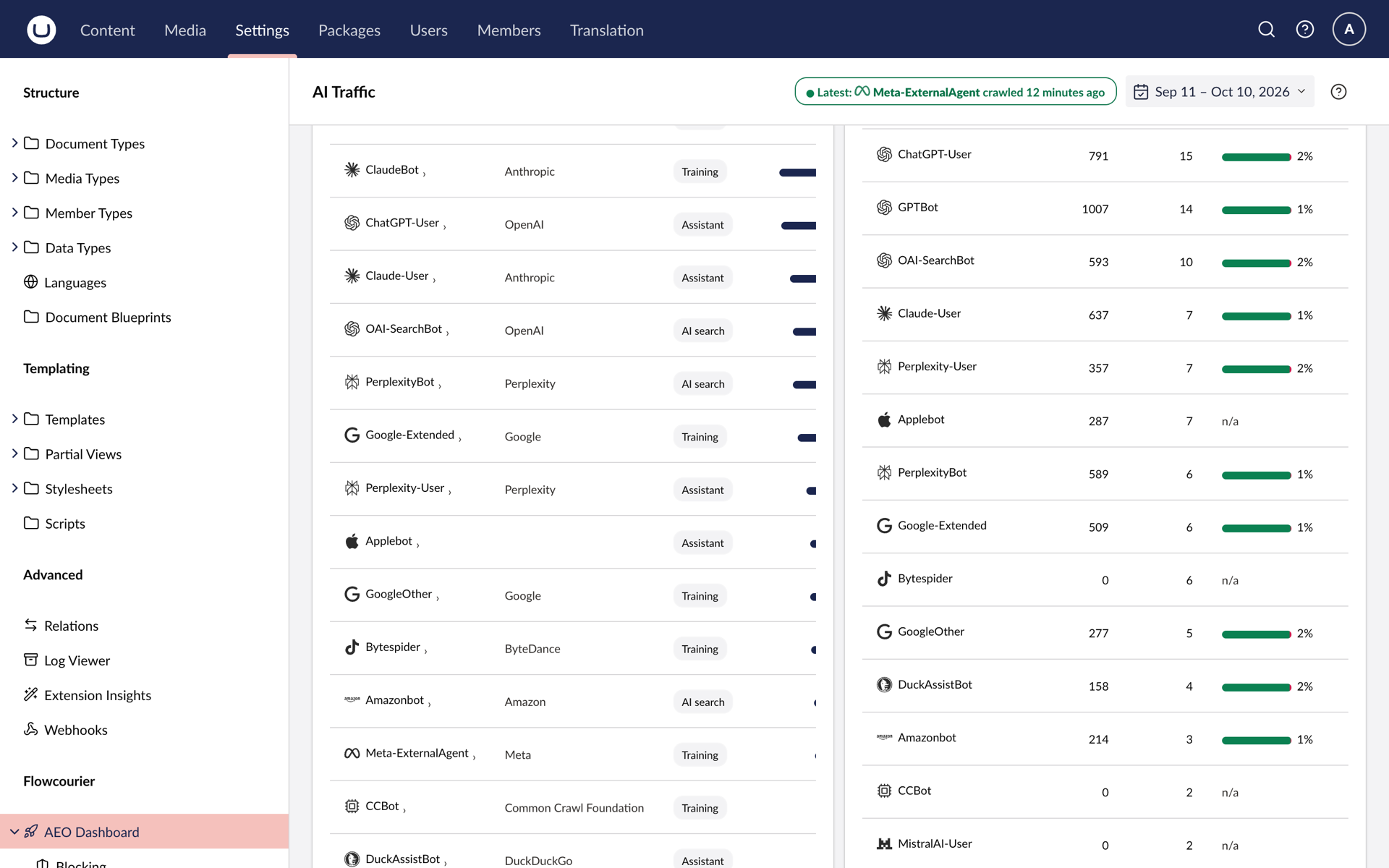
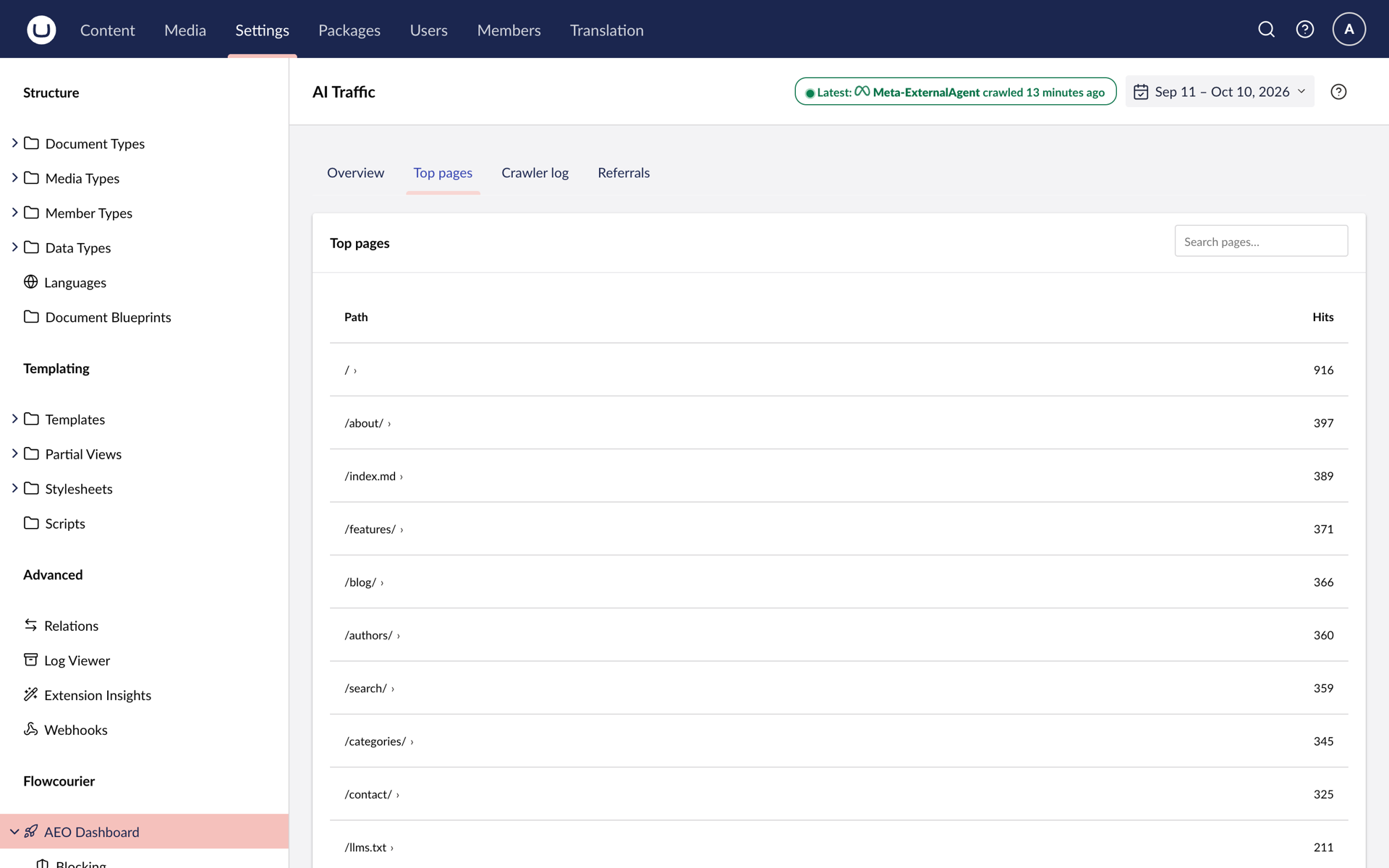
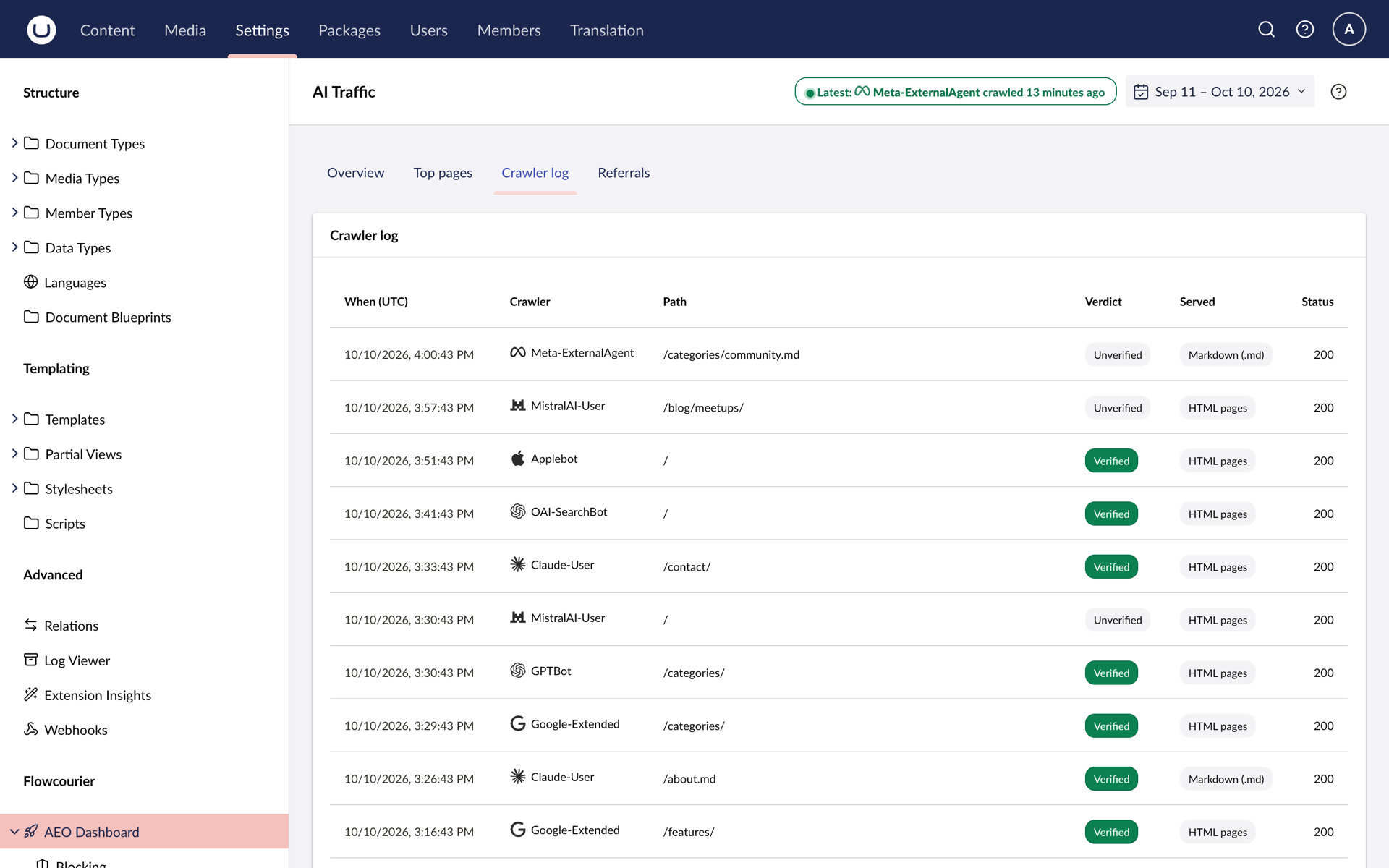
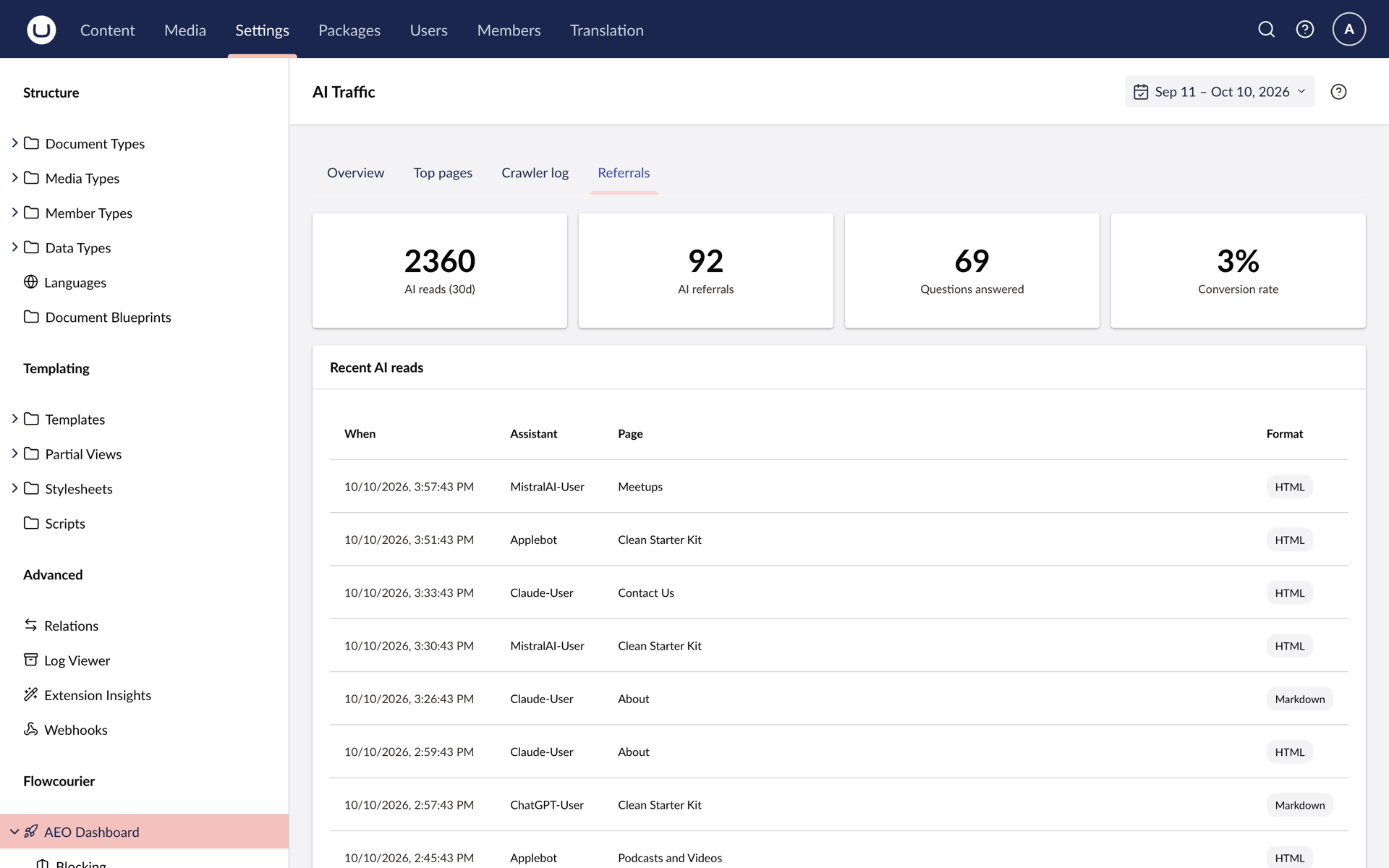
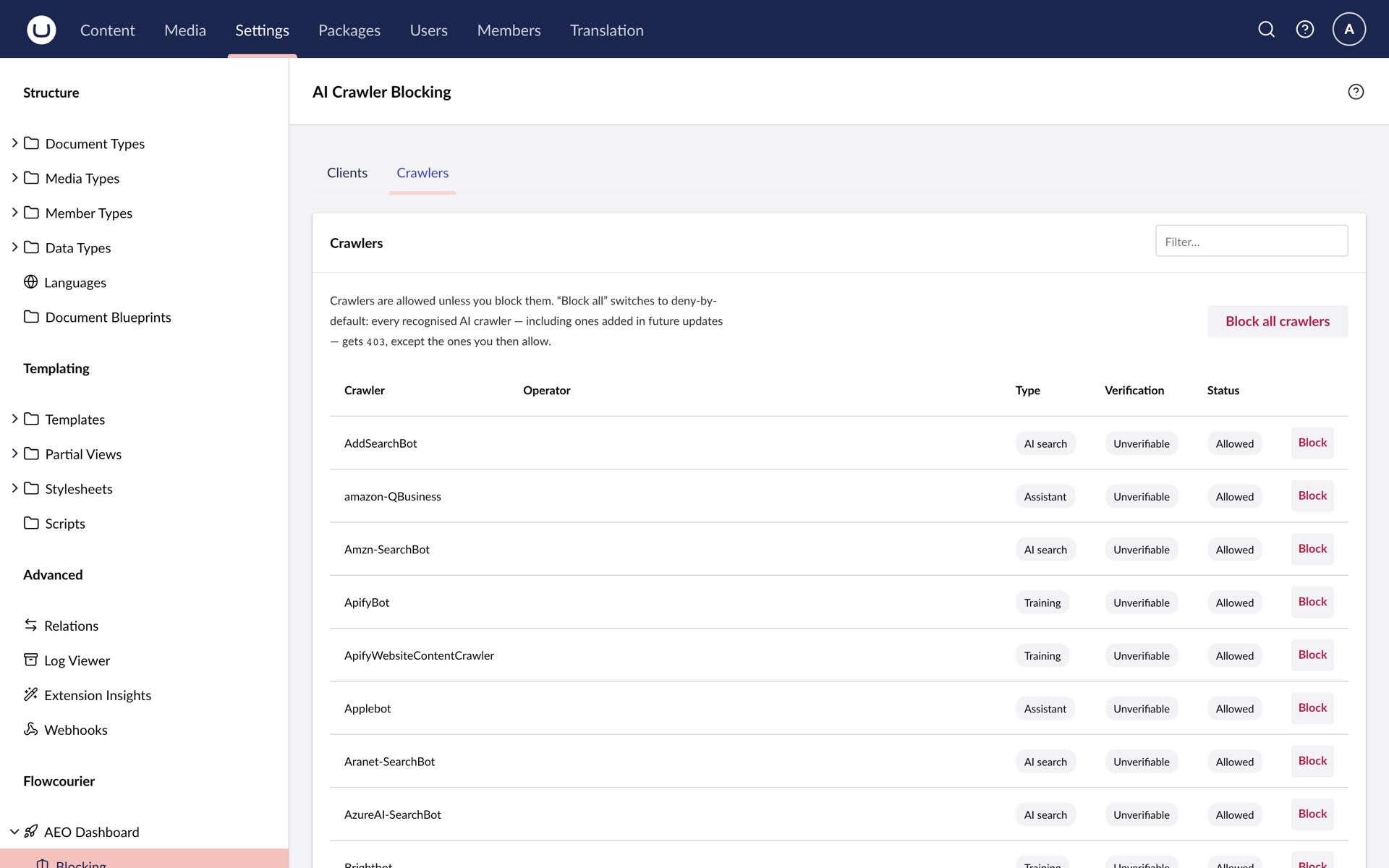
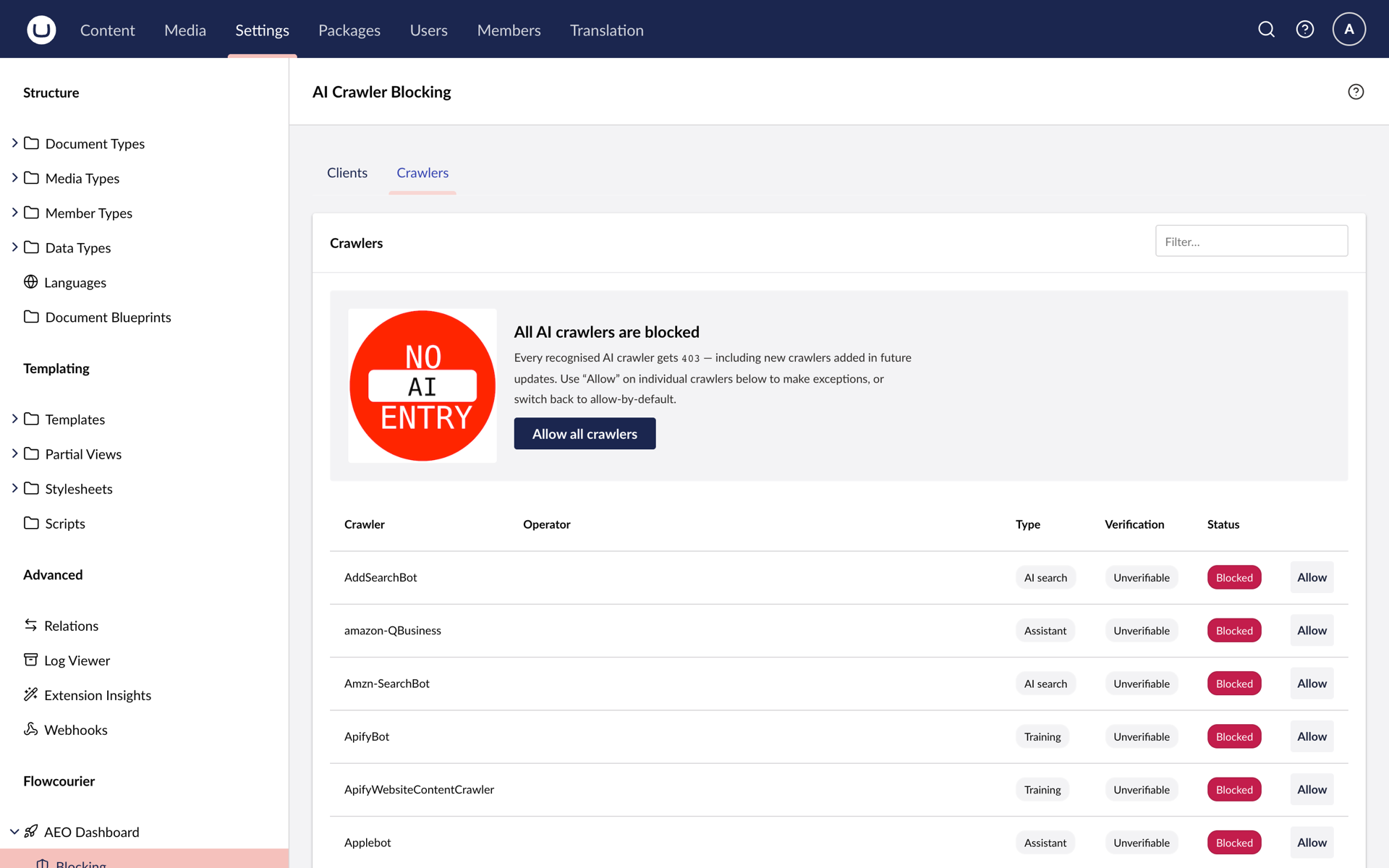
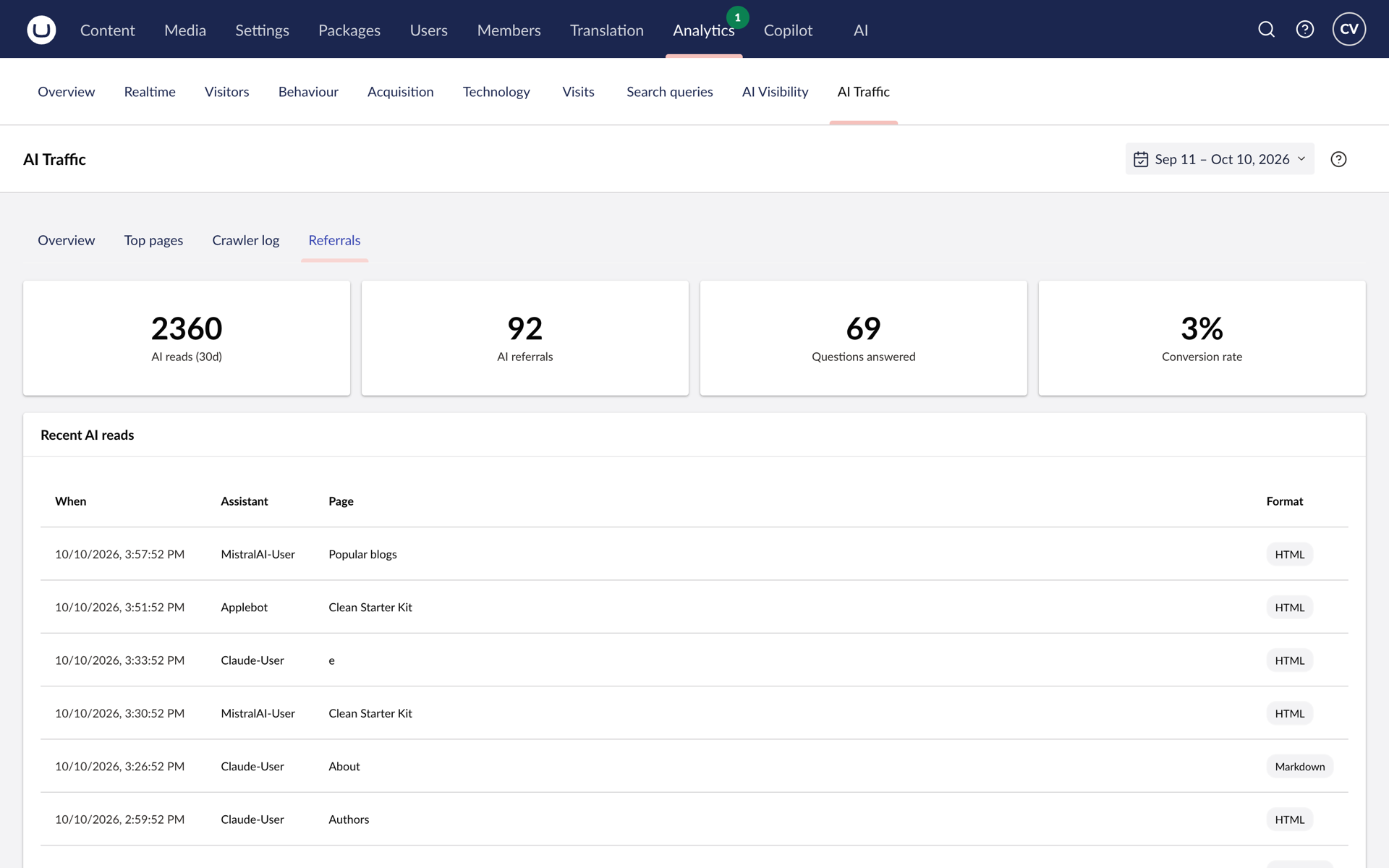
Visits from GPTBot, ClaudeBot, PerplexityBot and 150+ other AI crawlers are recognised, classified by intent and counted - which bot, which pages, HTML or Markdown. Each visit is verified against the vendor's published IP ranges or reverse DNS, and scanners spoofing an AI user agent are blocked.
AI referrals
Humans clicking through from chatgpt.com, claude.ai or perplexity.ai are recorded and matched to crawler fetches as questions answered.
An AEO tab on every page
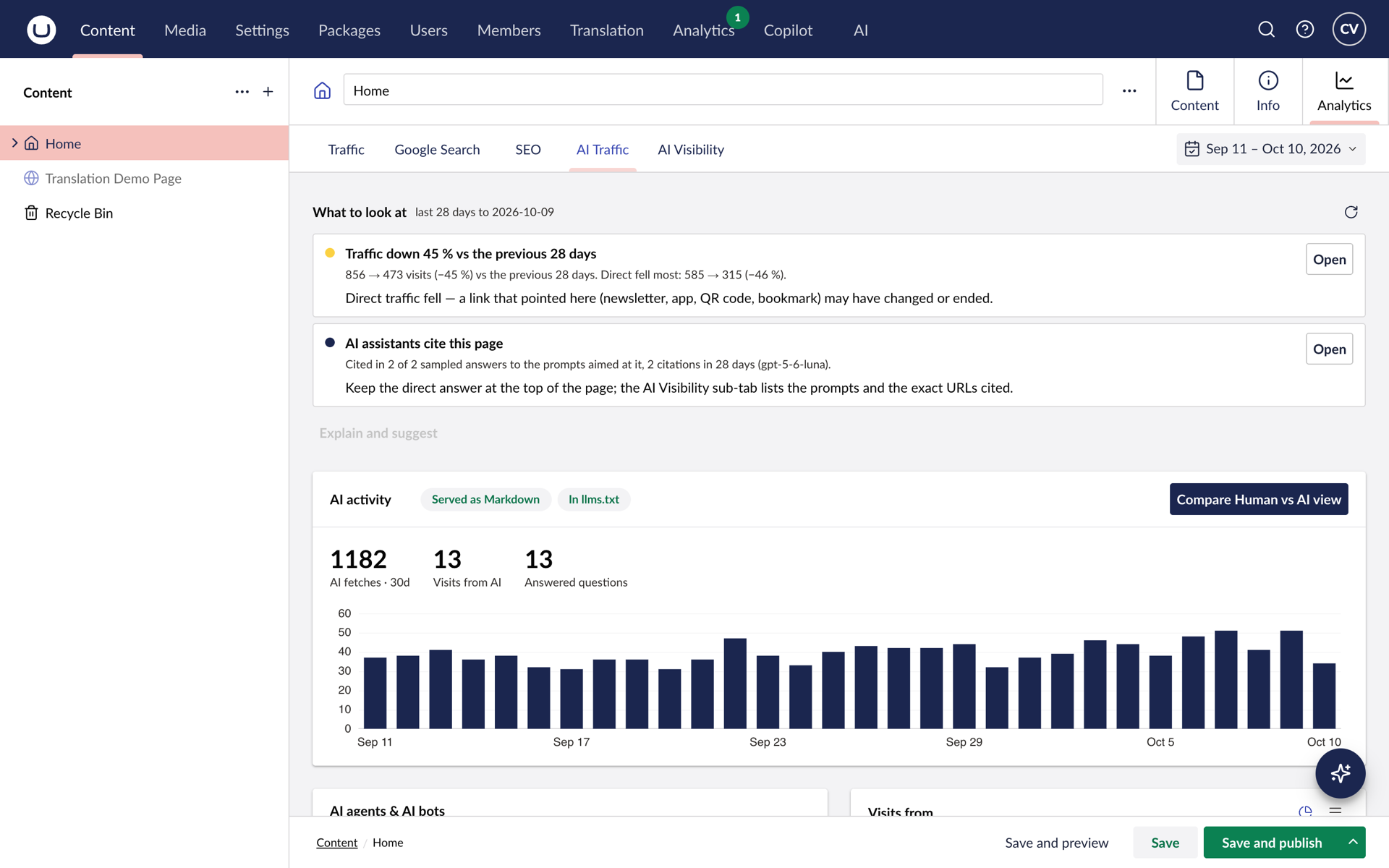
Exposure, the crawlers that fetched it, visits from assistants and the questions they answered - for content editors, no Settings access needed.
Privacy-safe by default
No IP addresses stored unless you opt in. Raw user agents are kept only as forensics on spoofed requests.
See it in the backoffice
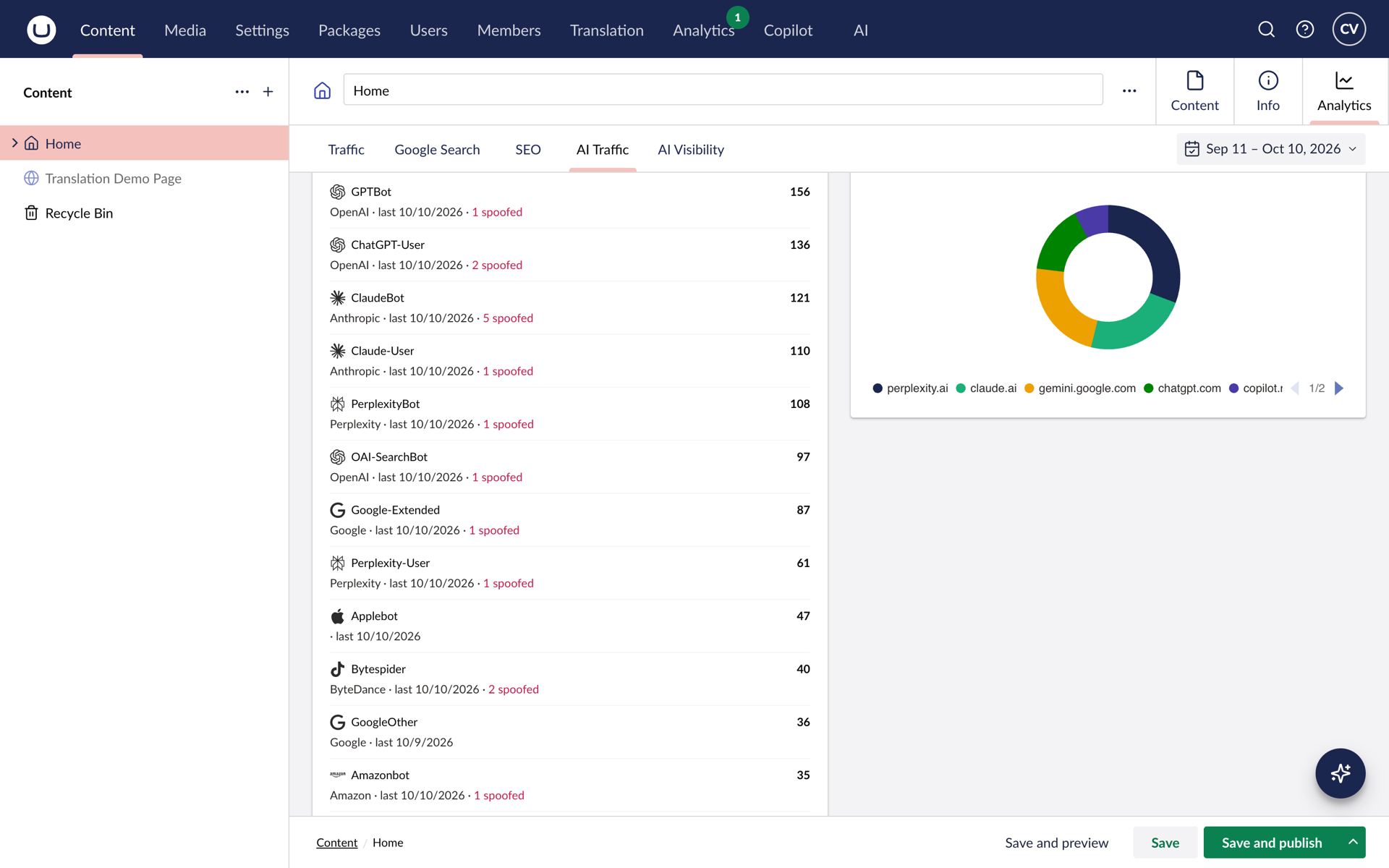
Six things,
zero configuration
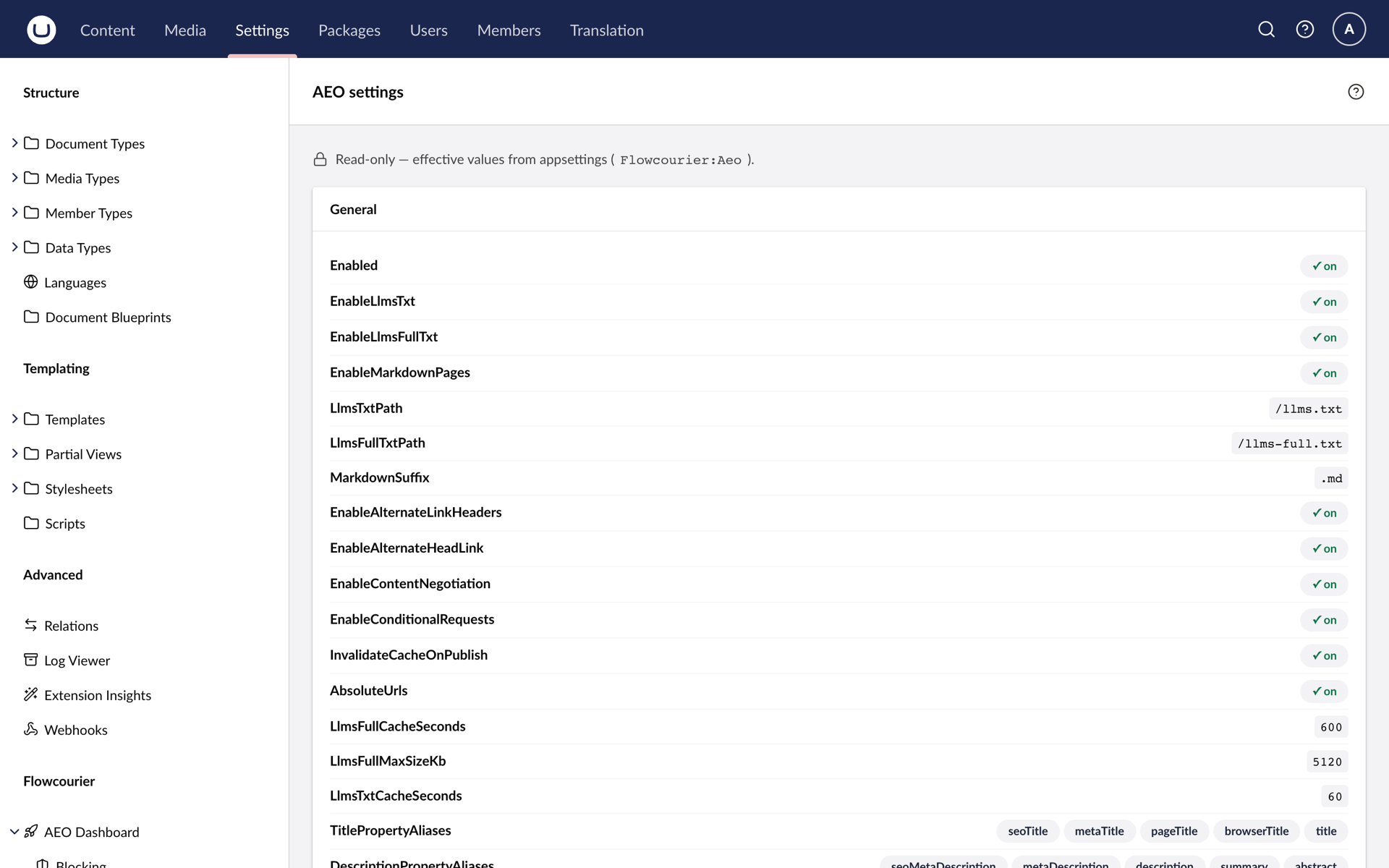
/llms.txt
A curated index of your site following the llms.txt standard, with a link to each page's Markdown version.
/llms-full.txt
The entire site rendered to Markdown in one document, ready for a model's context window or a RAG pipeline.
Any page as Markdown
Append .md to any URL and get a clean Markdown rendering - advertised with alternate links and content negotiation.
Structured data (JSON-LD)
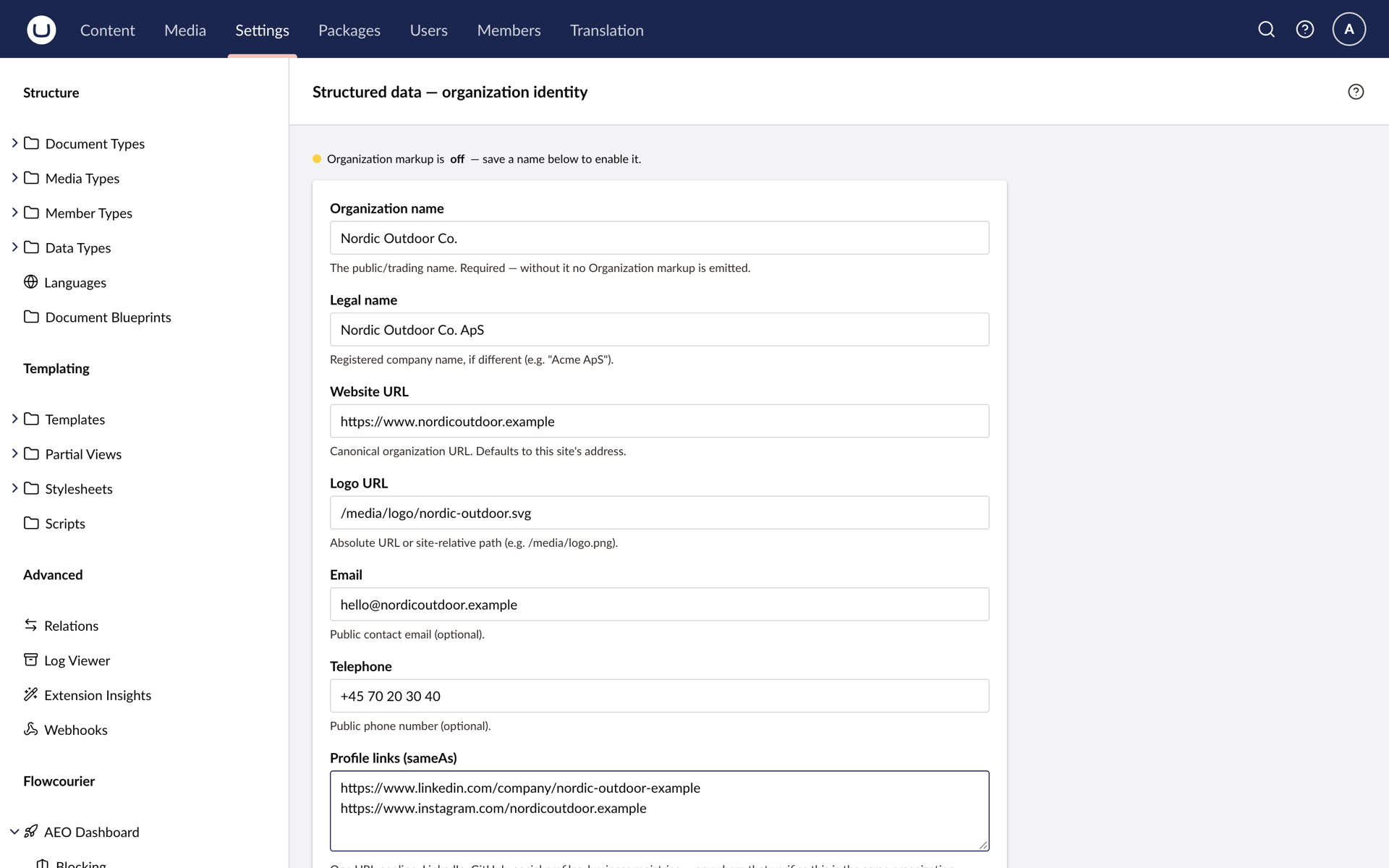
WebSite, WebPage or Article, breadcrumb and FAQ markup on every page, and organisation identity you fill in once.
AI crawler analytics
Which bots fetched what, verified and counted, on the AI Traffic dashboard.
AI referrals
Which of your pages AI answers actually sent real visitors to.
FOR DEVELOPERS
Up and running in four steps
The short version. The full guide with screenshots, configuration reference and troubleshooting is in the developer docs.
-
1 · Install the package
dotnet add package Flowcourier.Umbraco.AEO. It self-registers through a pipeline filter and creates the crawler-analytics table on first startup.
Terminal -
2 · Verify the endpoints
Open /llms.txt, /llms-full.txt and any page URL with .md appended. Output comes from the published-content cache and refreshes on publish.
Browser -
3 · Fill in your identity
Settings → Flowcourier → AEO Dashboard → Structured Data: organisation name, logo, profile links and contact details. The one thing the package never guesses.
Backoffice -
4 · Behind a CDN?
Allow AI crawlers at the edge (newer Cloudflare zones block them by default) and set ClientIpHeader, for example CF-Connecting-IP, so crawler verification can run.
Cloudflare
What is answer engine optimisation?
Making sure that when ChatGPT, Claude or Perplexity answer a question your business could answer, your content is what they draw on and your name is what they cite. The article explains what to change in an Umbraco site.
Read: Answer engine optimisation for Umbraco →Does it need Umbraco AI or an API key?
No. AEO has no AI dependency at all. It reads the published content cache and serves it in other formats.
Does it work headless?
No. It is built for sites where Umbraco renders the front end. Discovery headers, JSON-LD injection and crawler analytics all happen on the rendered pages.
We are behind Cloudflare. Anything to do?
Two minutes: allow AI crawlers at the edge, since newer zones block them by default, and set the client IP header so verification can run.
Cloudflare and CDNs guide →Which Umbraco versions?
Umbraco 17 on .NET 10.
Not sure what AI engines see today?
Run our free analyzer for technical, SEO, content and AI-readiness scores with prioritised fixes - in about a minute.