

Quick start
How to install Flowcourier AEO for Umbraco
Section titled “How to install Flowcourier AEO for Umbraco”Flowcourier AEO adds Answer Engine Optimization to your Umbraco site: it makes your published content readable by LLMs and AI answer engines (ChatGPT, Claude, Perplexity, Gemini, …) by serving it in the formats those tools understand — generated live from the content cache, with no editor work and no content changes required.
One package gives you six things:
/llms.txt— a curated index of your site following the llms.txt standard, with a link to each page’s Markdown version./llms-full.txt— the entire site rendered to Markdown in a single document./{any-page}.md— append.mdto any page URL and get a clean Markdown rendering instead of HTML.- Structured data (JSON-LD) injected into every rendered page’s
<head>. - AI crawler analytics in the backoffice — with built-in verification that blocks vulnerability scanners spoofing AI user agents.
- AI referrals — see which of your pages AI answers actually sent real visitors to.
AEO has no AI dependency — no Umbraco AI, no LLM provider, no API key. It is built for sites where Umbraco renders the front end (MVC/Razor) — headless setups are not supported (see system requirements).
-
Install the package
The package is available via NuGet. Visit Flowcourier.Umbraco.AEO on NuGet, search for it in Visual Studio, or run:
Terminal window dotnet add package Flowcourier.Umbraco.AEOThat’s it — no composer, no
Program.cschanges, no route configuration. The package self-registers through an Umbraco pipeline filter, and the crawler-analytics database table is created automatically on first startup. -
Verify the endpoints
Start the site and open:
https://your-site/llms.txt— the site indexhttps://your-site/llms-full.txt— the whole site as Markdownhttps://your-site/about-us.md— any page URL +.md
The output is derived from the live published-content cache, so it always reflects what’s currently published — cached briefly in memory and refreshed immediately on publish.
-
Fill in your organization identity
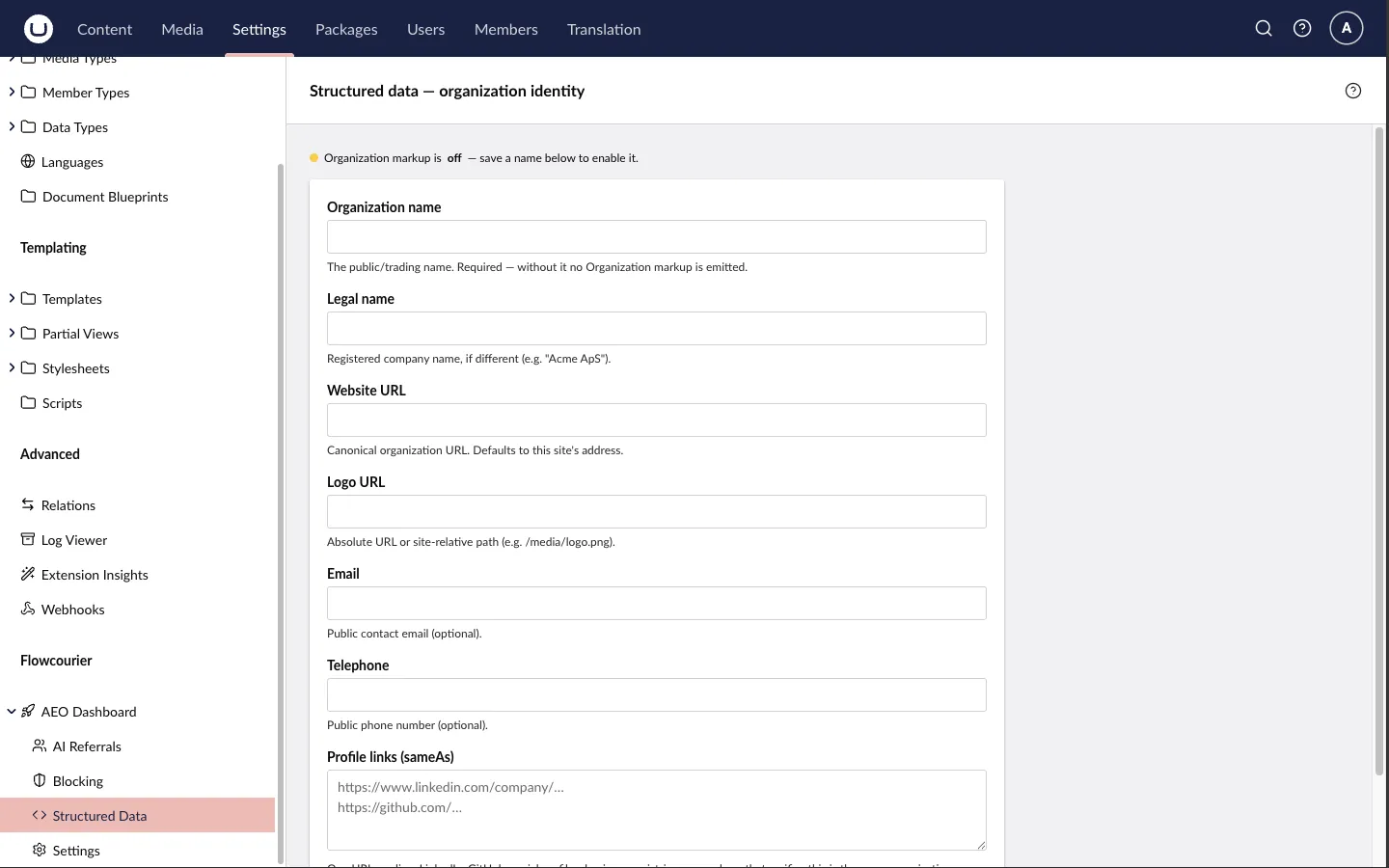
Go to Settings → Flowcourier → AEO Dashboard → Structured Data (the group is named AEO on a site that also runs Flowcourier Analytics) in the backoffice and enter your organization’s name, logo, profile links and contact details. This is the one piece of structured data the package never guesses from content — page-level markup (WebPage/Article, breadcrumbs, FAQ) is generated automatically. See Structured data for details.
-
Optional: advertise the files in robots.txt
AEO can prepend discovery lines for
llms.txt/llms-full.txtto yourrobots.txt(an existing physical file is preserved). It’s opt-in:{"Flowcourier": {"Aeo": {"Robots": { "Enabled": true }}}} -
Watch the AI crawlers arrive
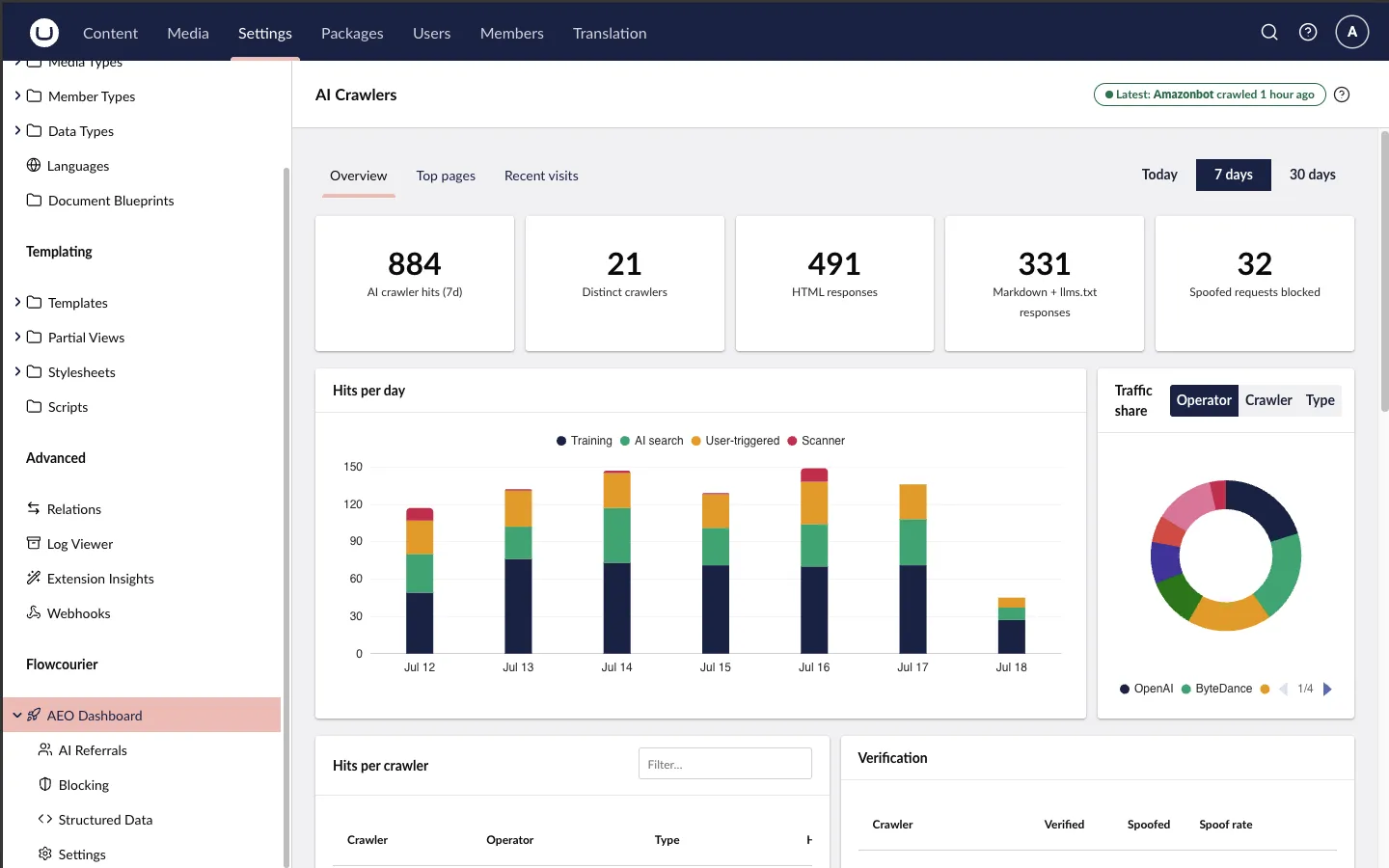
Open Analytics → AI Traffic — or Settings → Flowcourier → AEO Dashboard on a site without Flowcourier Analytics. Visits from GPTBot, ClaudeBot, PerplexityBot and 150+ other AI crawlers are recognised and counted — which bot, which pages, and whether they fetched HTML or your Markdown surface. Each visit is also verified against the vendor’s official mechanism where one exists (published IP ranges or reverse DNS), and scanners spoofing an AI user agent are blocked automatically — manage this on the Blocking page under Settings → Flowcourier. Privacy-safe by default: the analytics store no IP addresses unless you opt in, and raw user agents are kept only as forensics on spoofed requests — see Privacy (GDPR) for details. See AI crawler analytics and Crawler verification & blocking.
Next steps
Section titled “Next steps”- Learn how llms.txt & Markdown pages work — what gets included, discovery headers, content negotiation and multilingual sites.
- Configure structured data (JSON-LD) — type mappings, FAQ markup and the organization form.
- Review the AI crawler analytics dashboard and its privacy guarantees.
- See how crawler verification & blocking stops vulnerability scanners that spoof AI crawlers — and lets you block any crawler permanently.
- Track AI referrals & questions answered — which pages AI answers cite and convert into real visits.
- Running behind a CDN? Cloudflare & CDNs covers edge bot settings, real client addresses and origin lockdown.
- Browse the full configuration reference — everything works out of the box, but every path, toggle and property alias is configurable.
- Something unexpected? The FAQ answers the questions we hear most.