Translate the page,
then get it approved

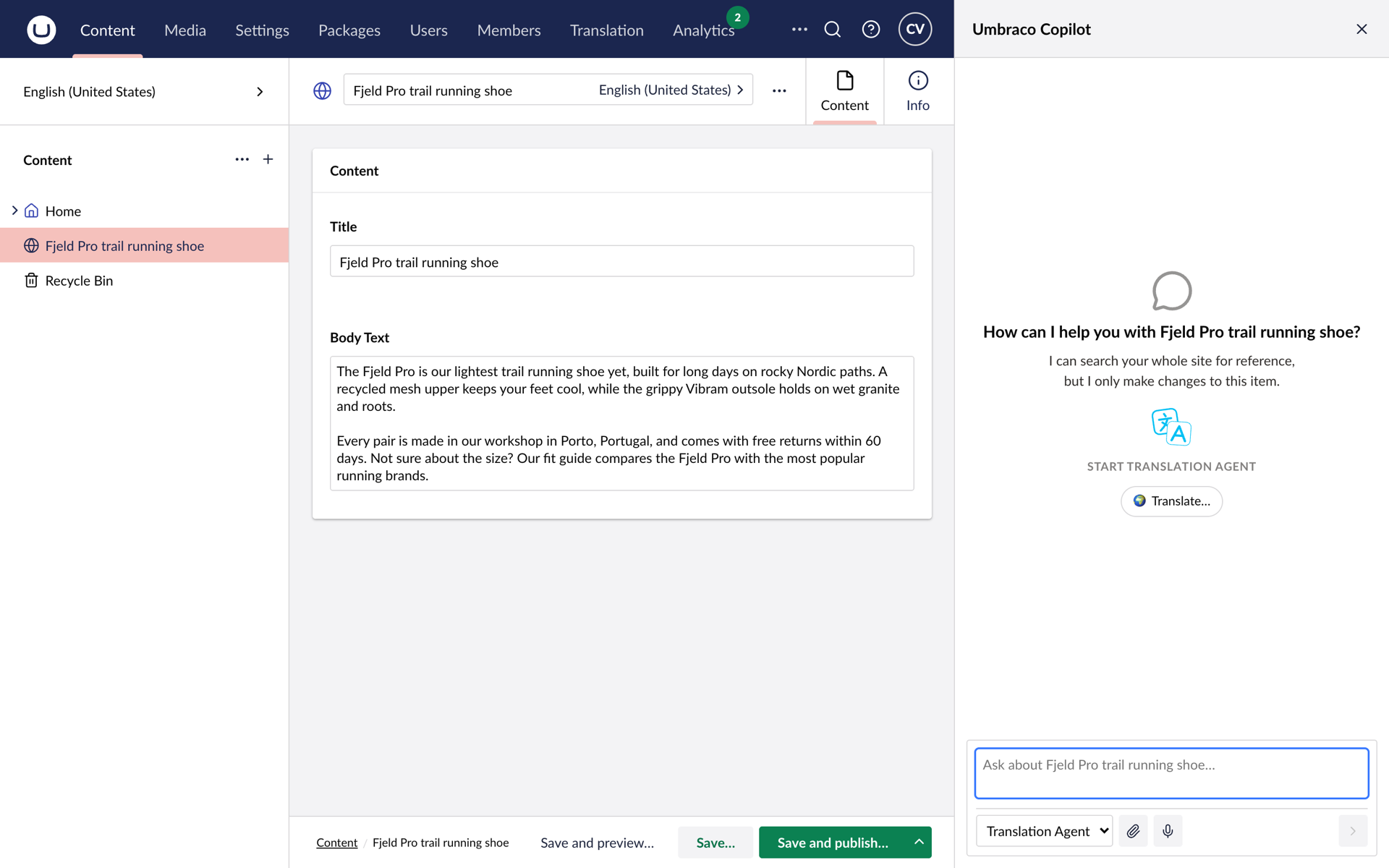
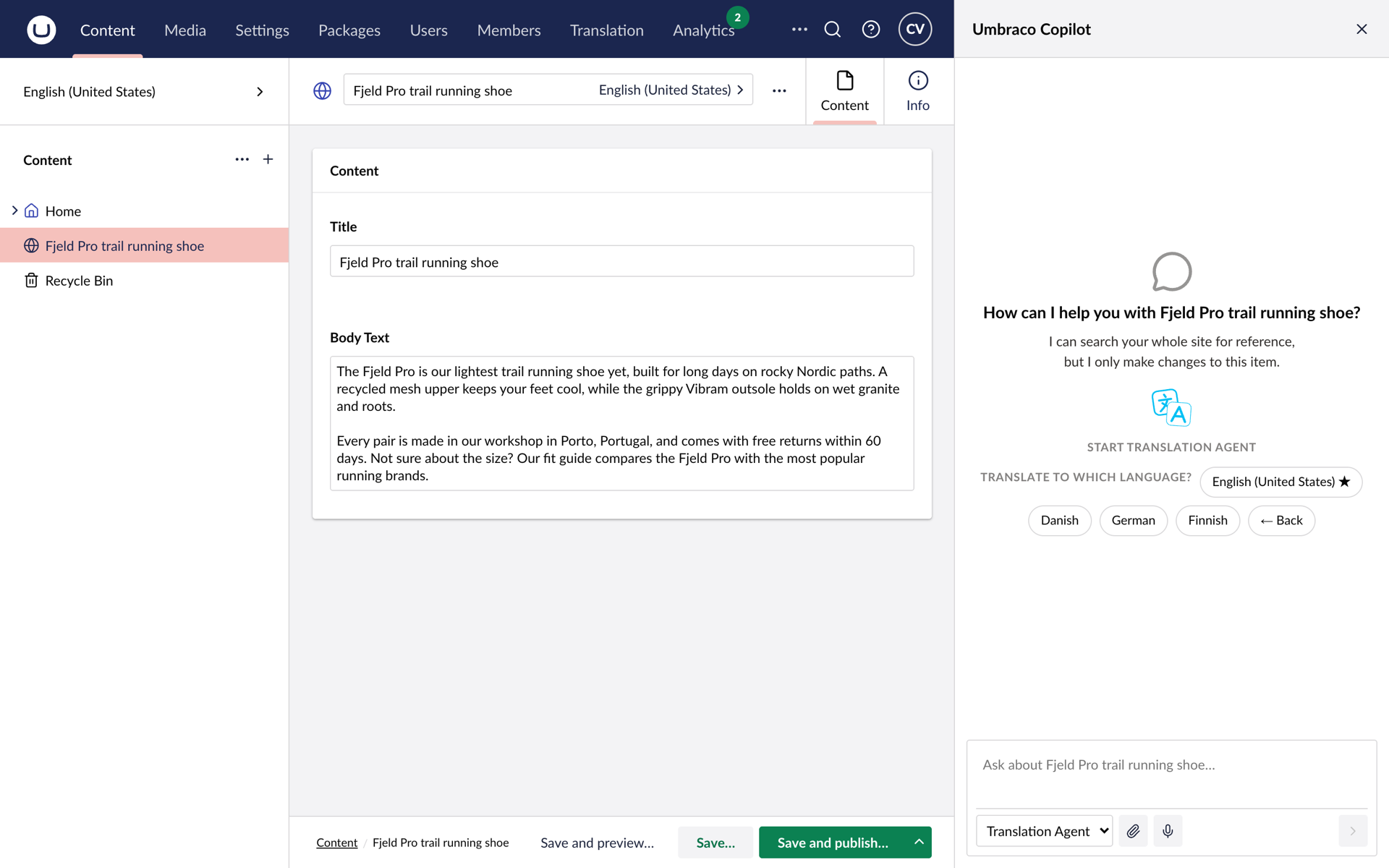
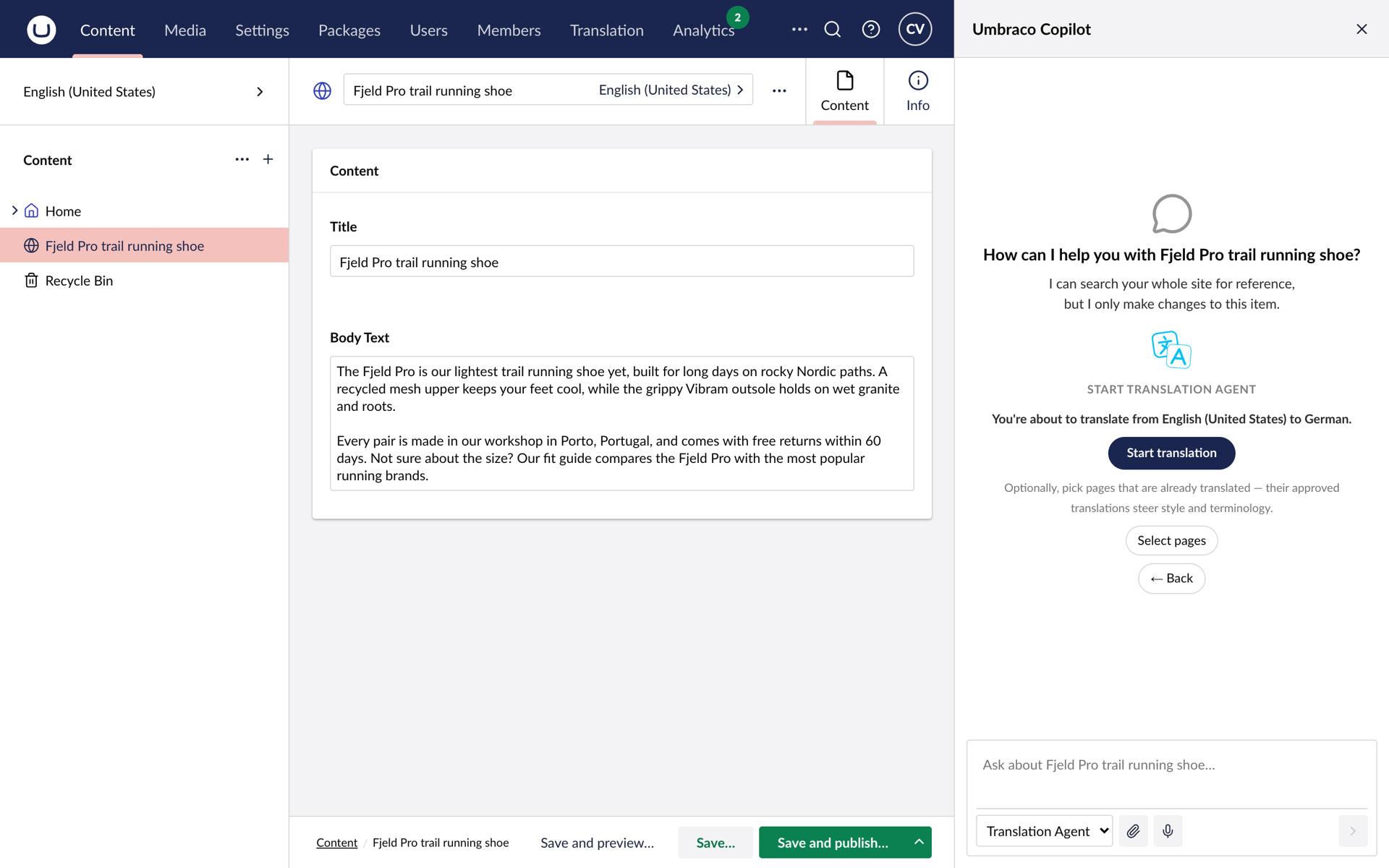
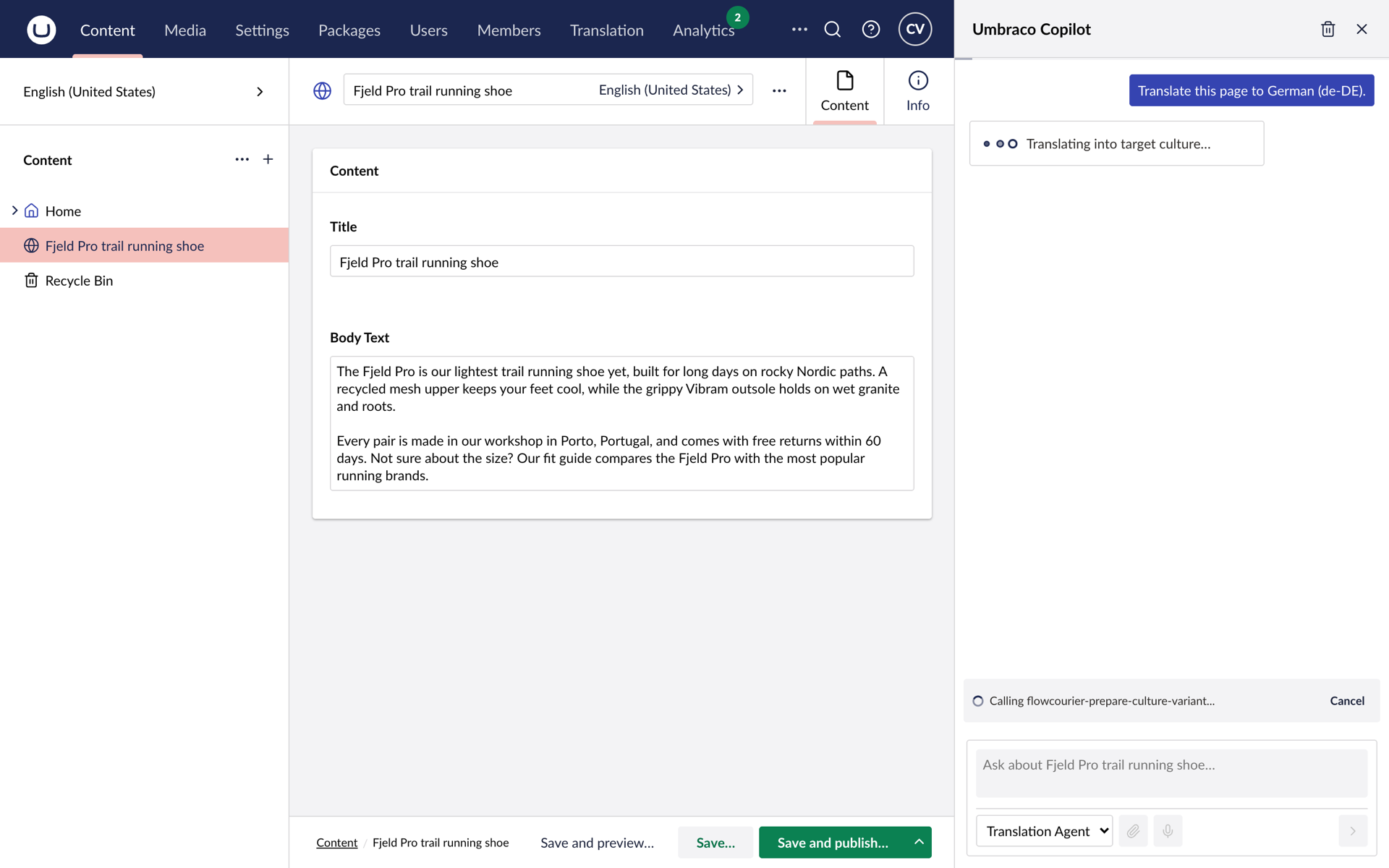
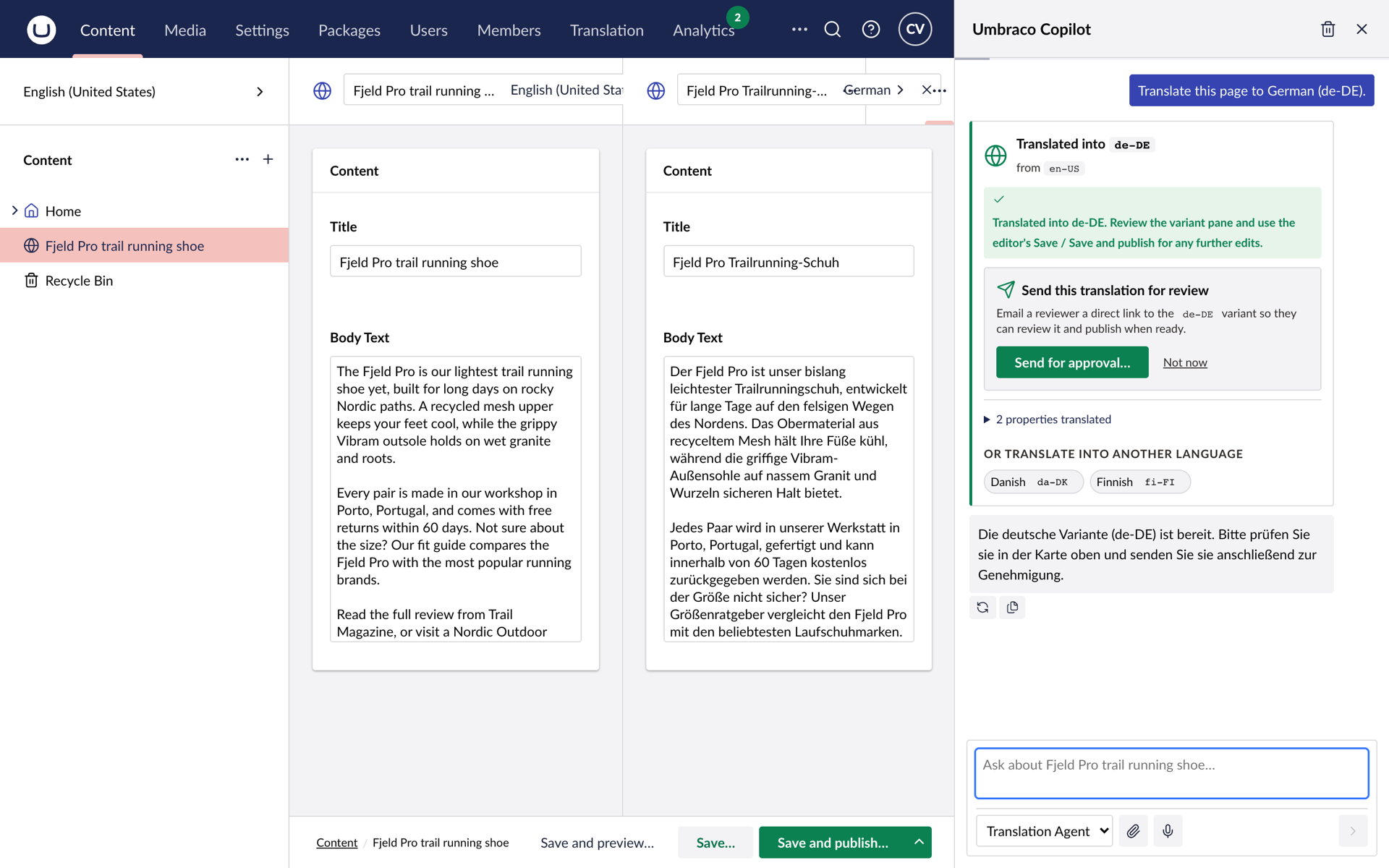
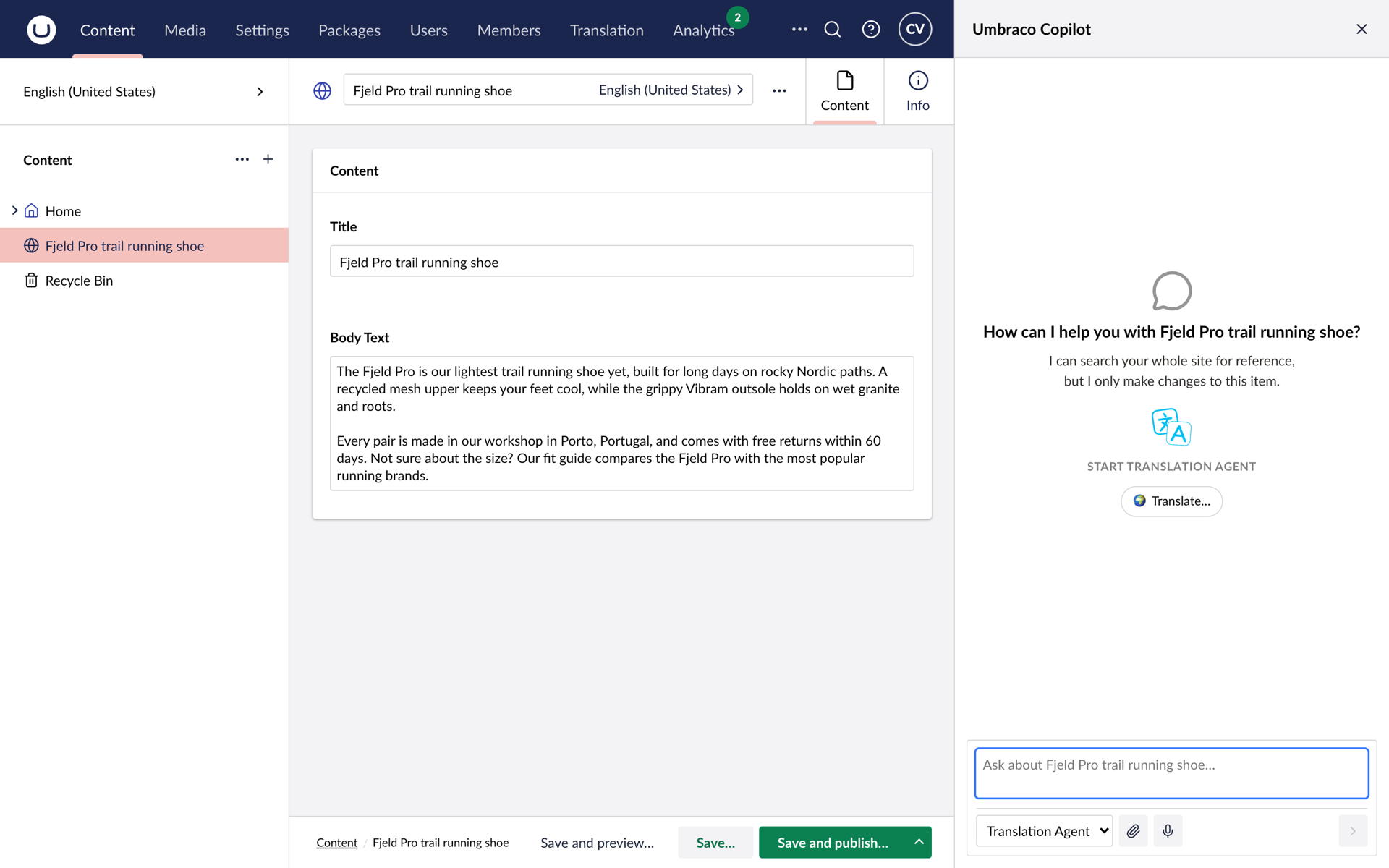
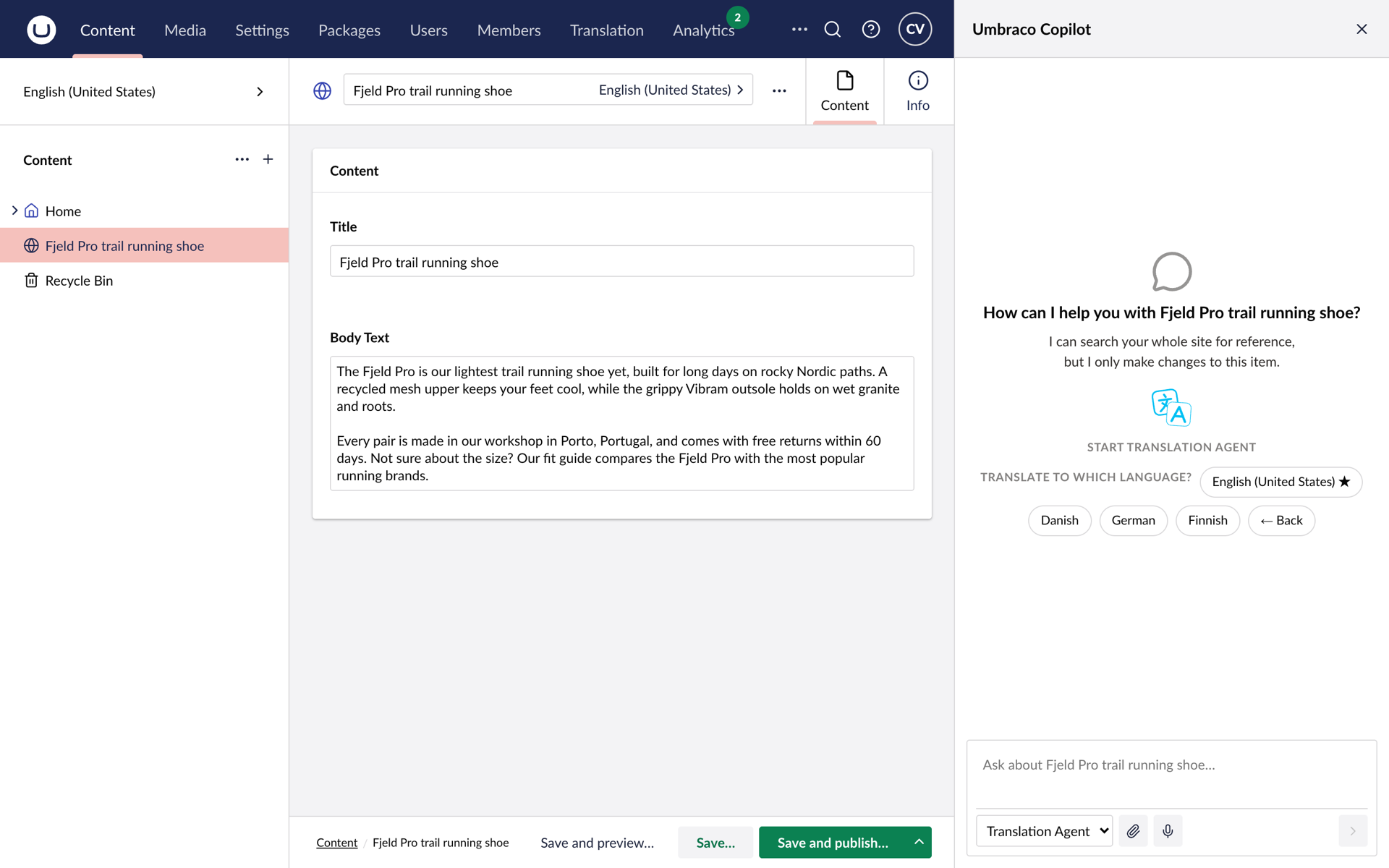
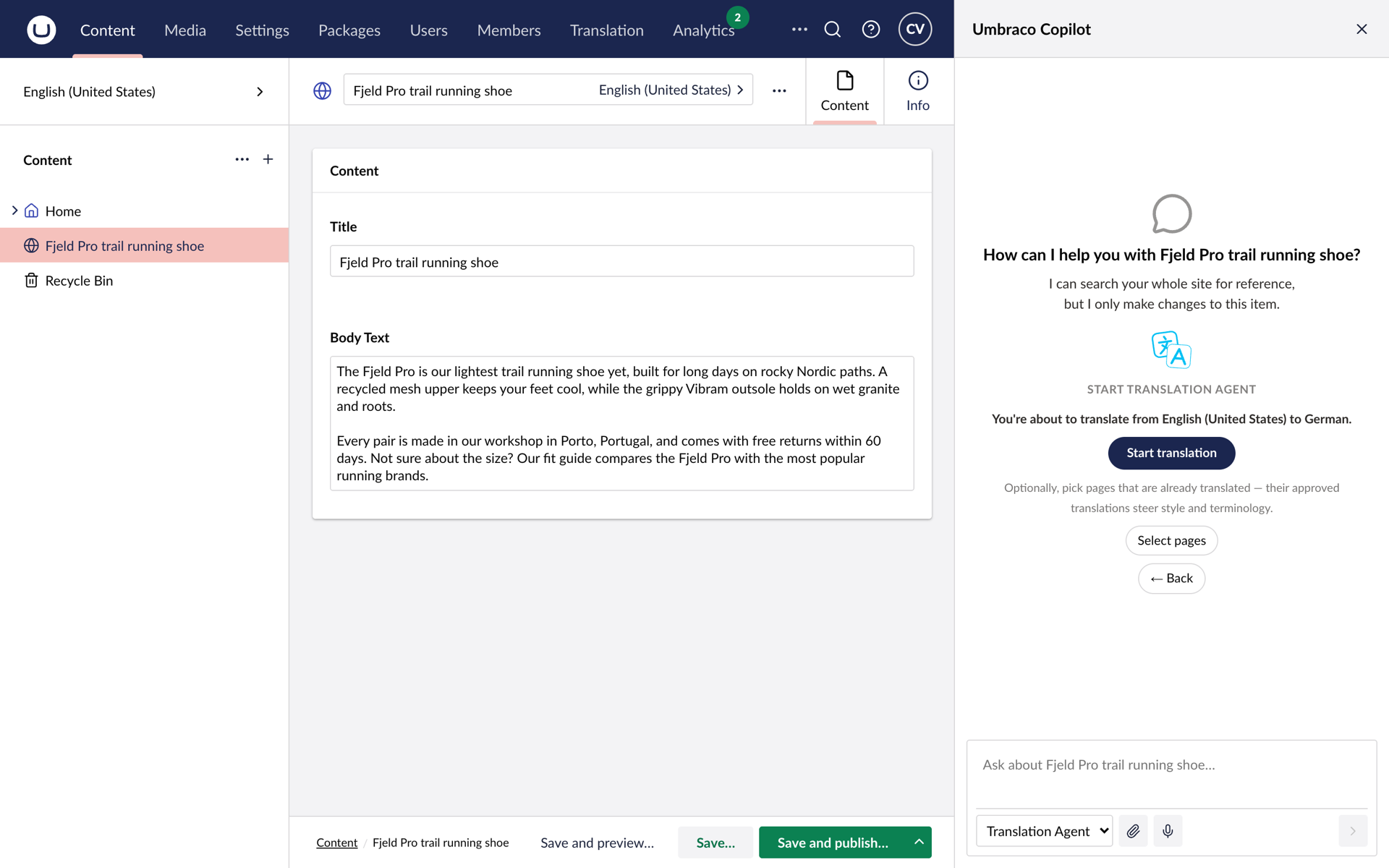
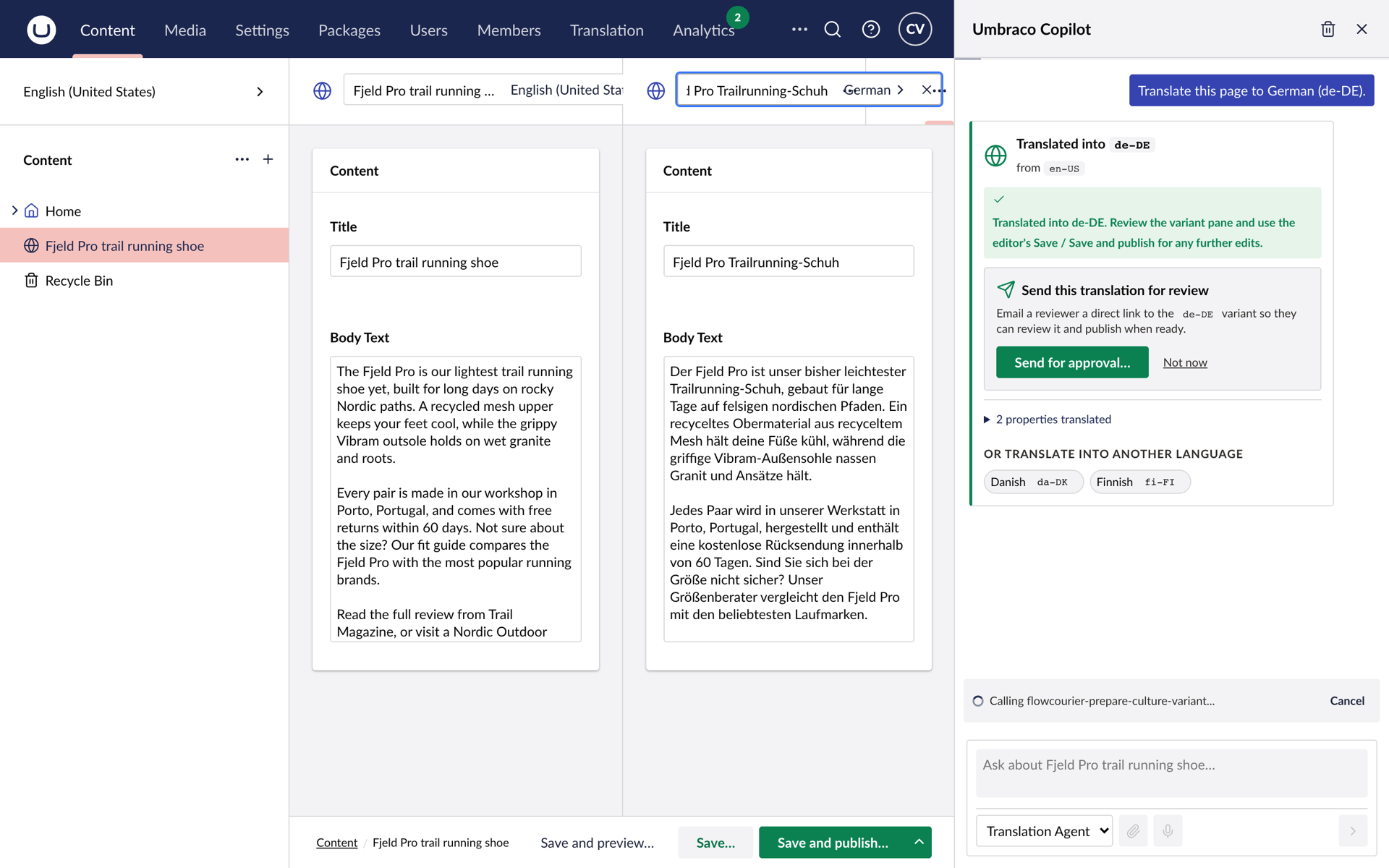
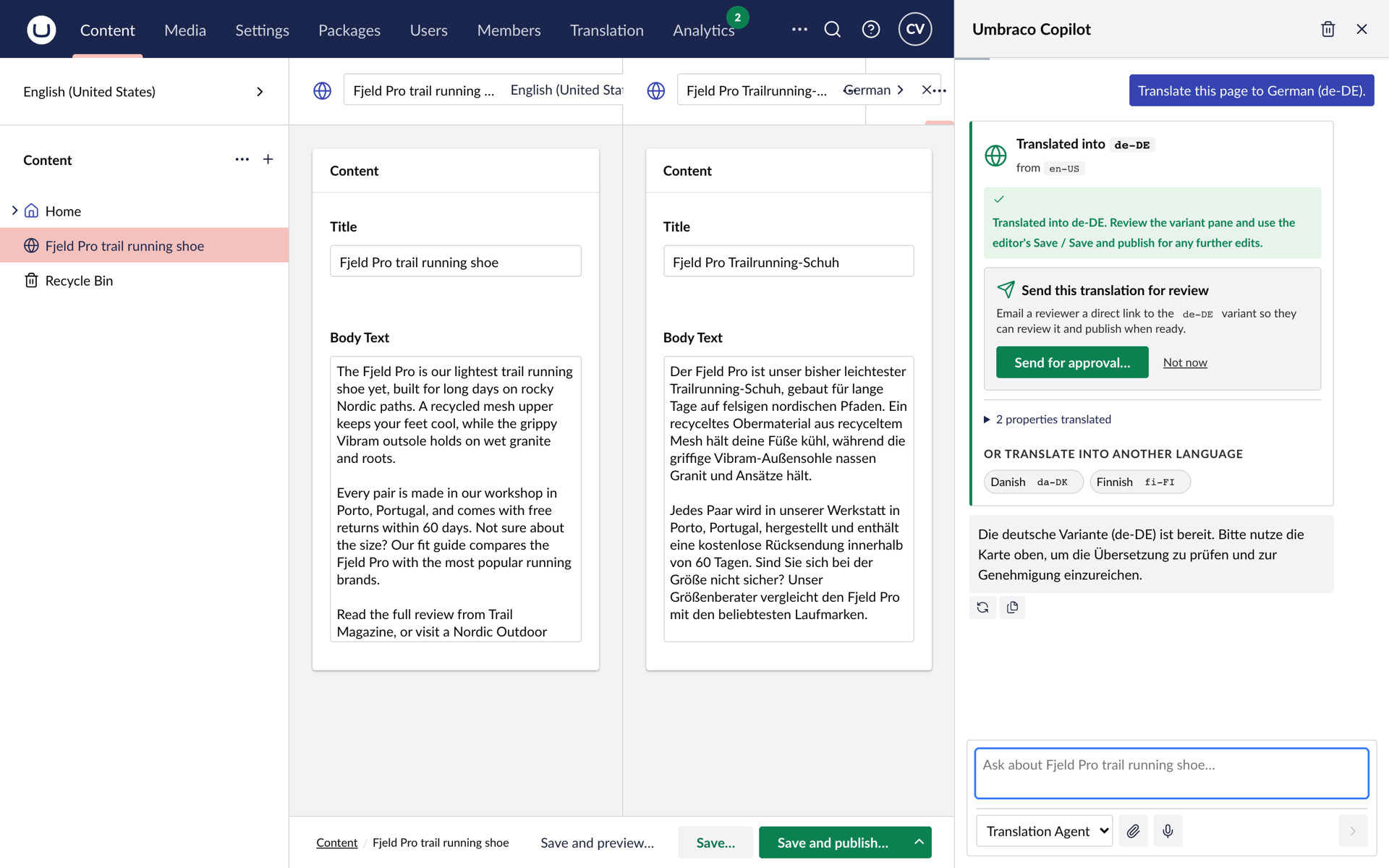
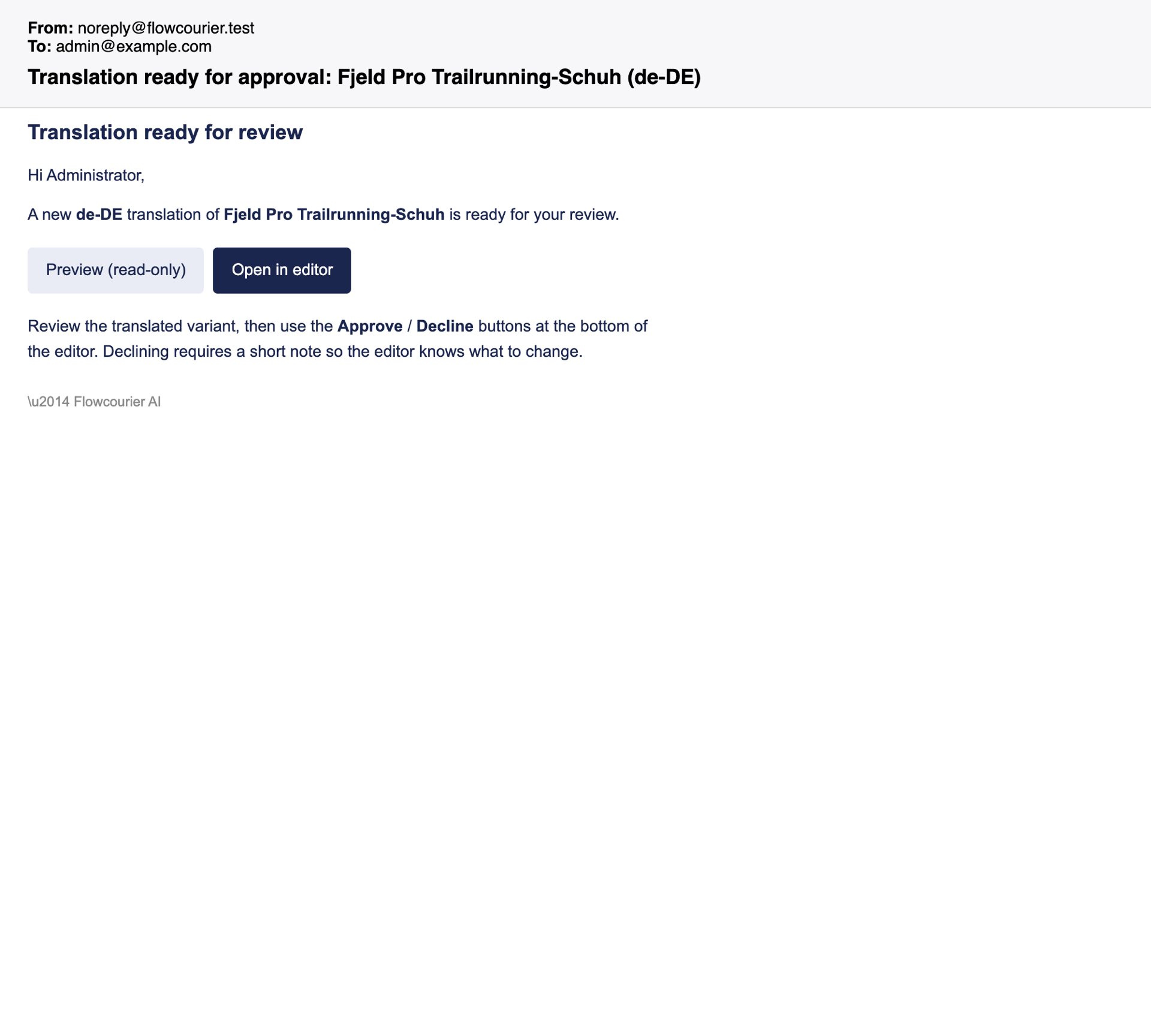
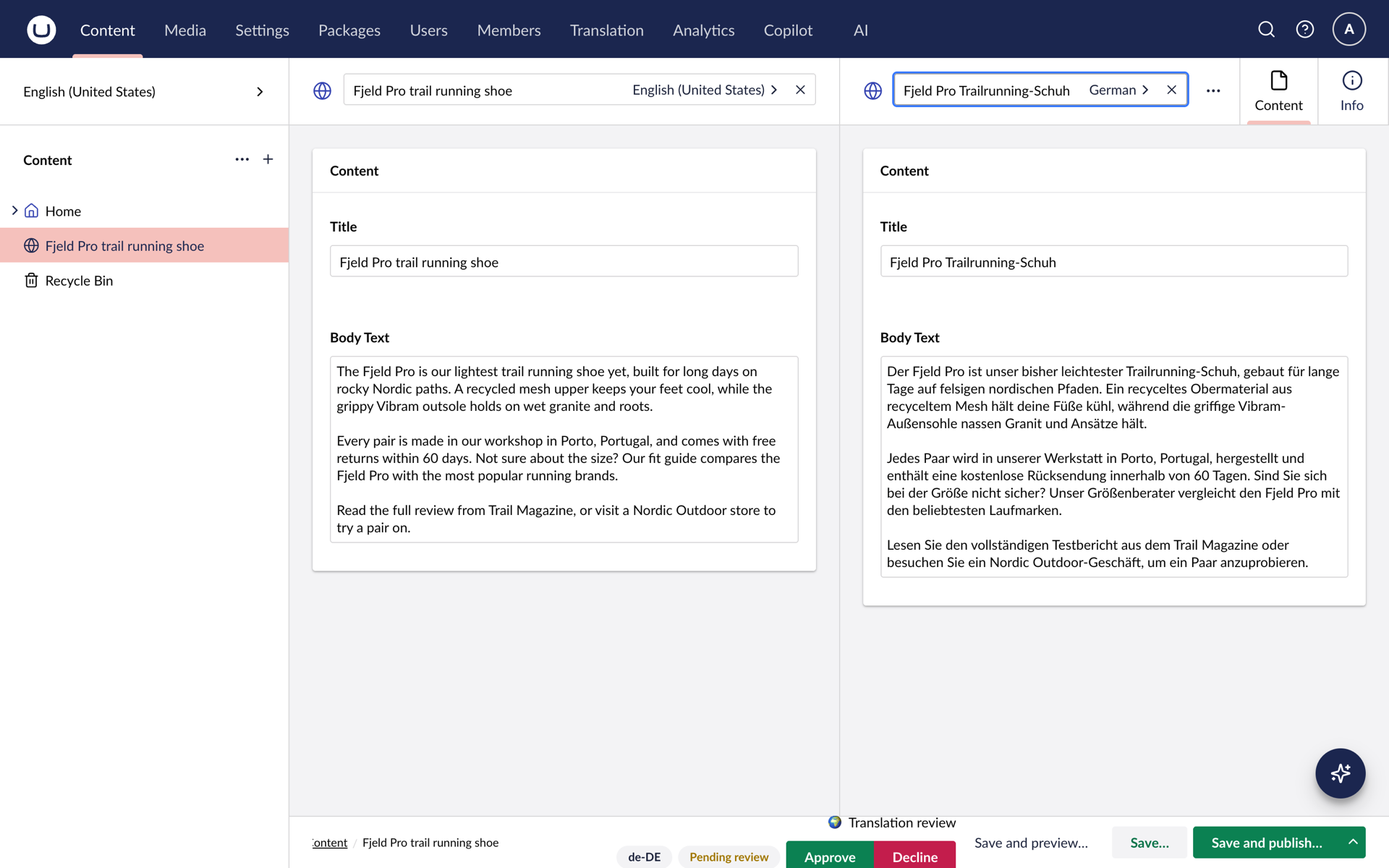
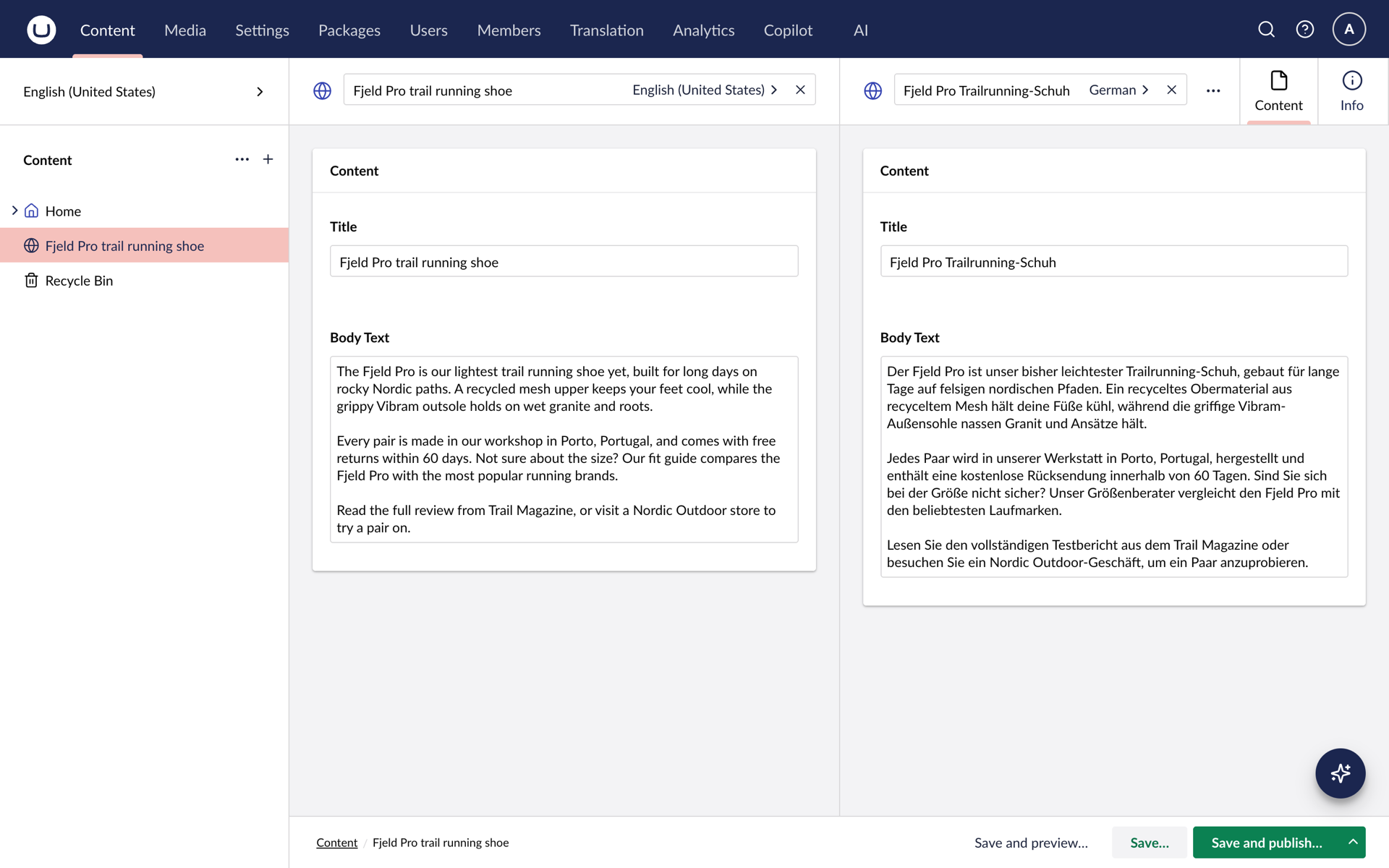
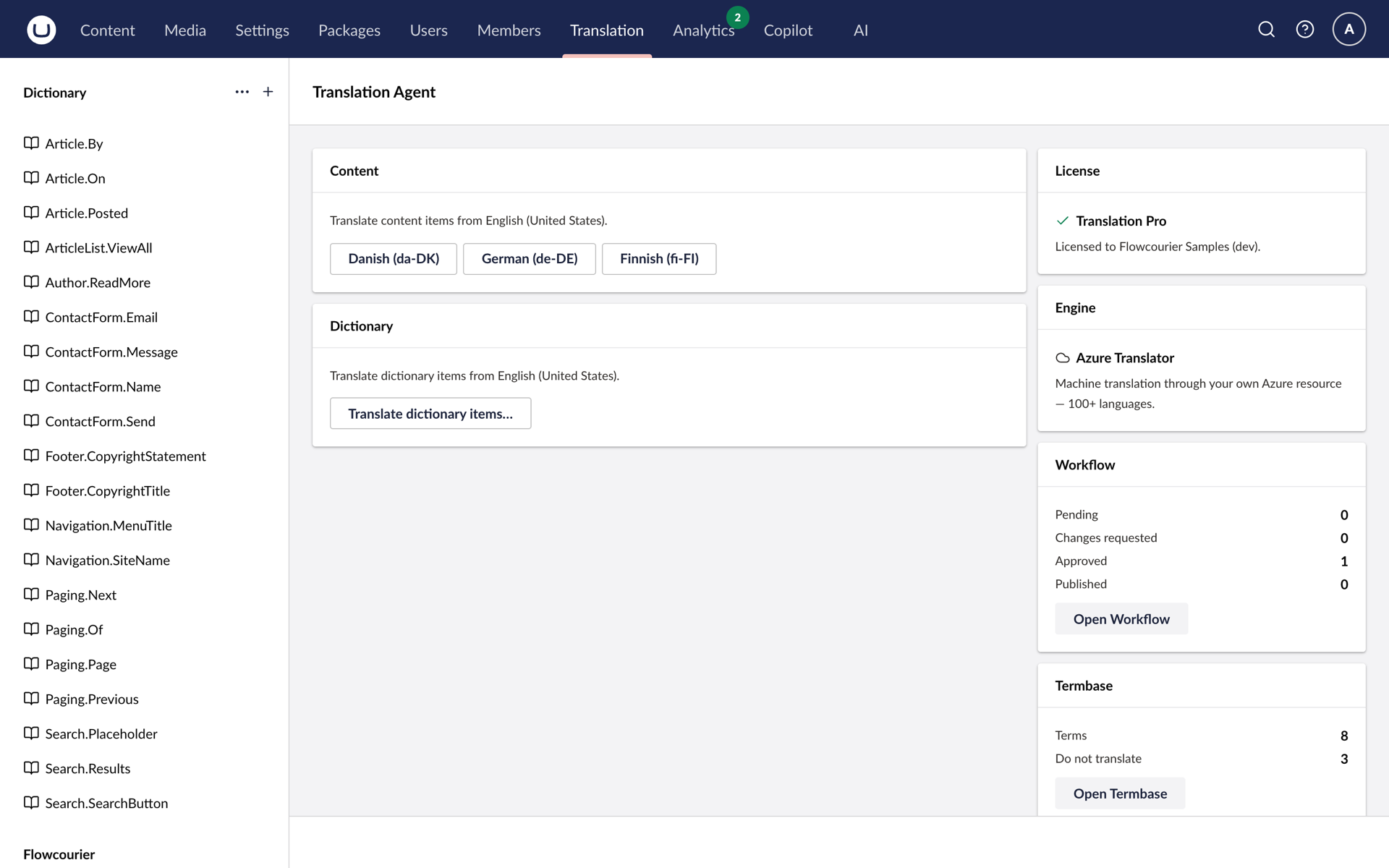
Open a culture-varying page, pick the target language, start. The agent translates the node name, rich text and Block List content into a draft in the target culture only, then routes it to a reviewer by email. Approved content goes live. Nothing else does.
Free for Umbraco 17 and later. Translation Pro adds batch translation, Azure Translator and a termbase.
From draft
to approved
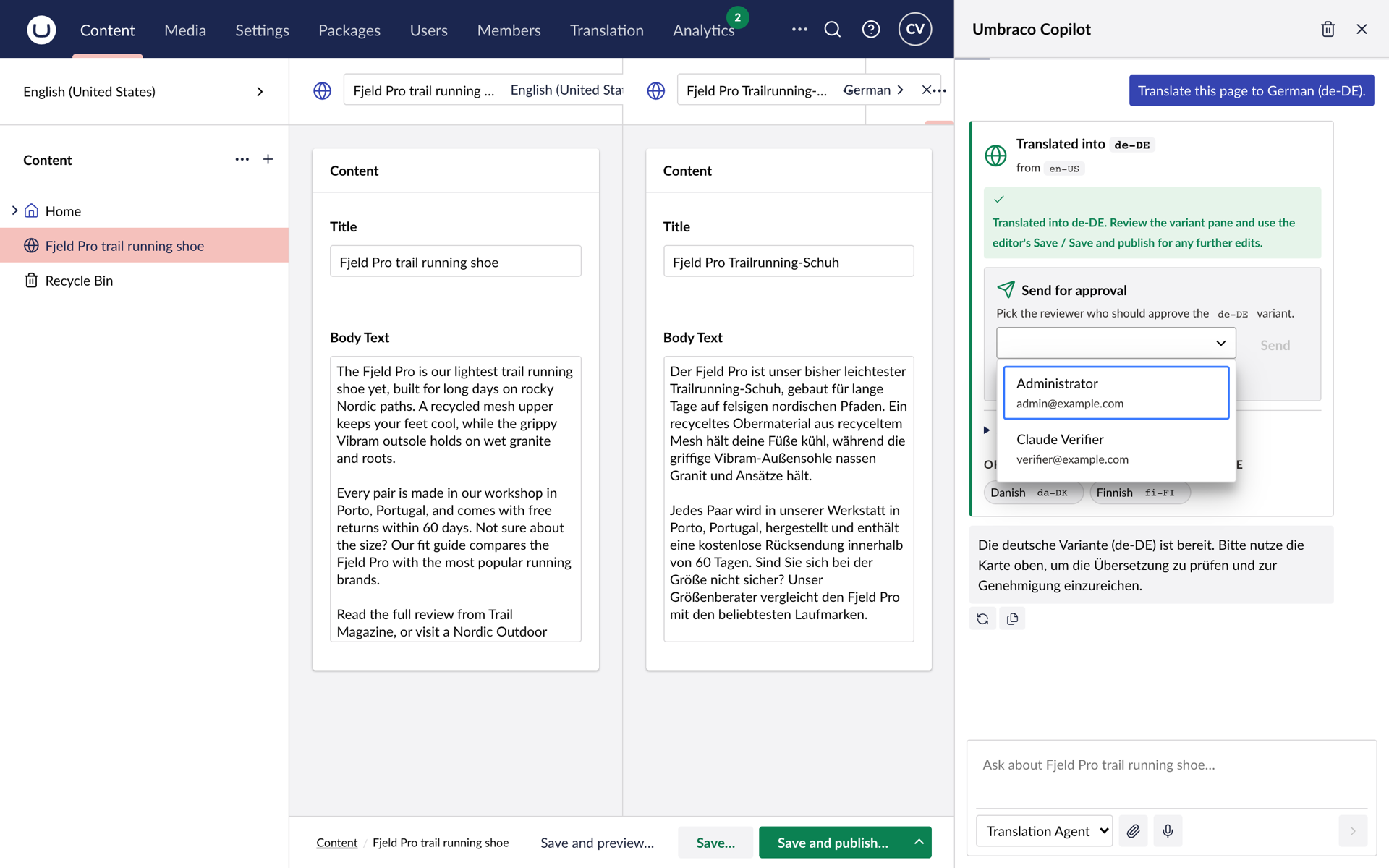
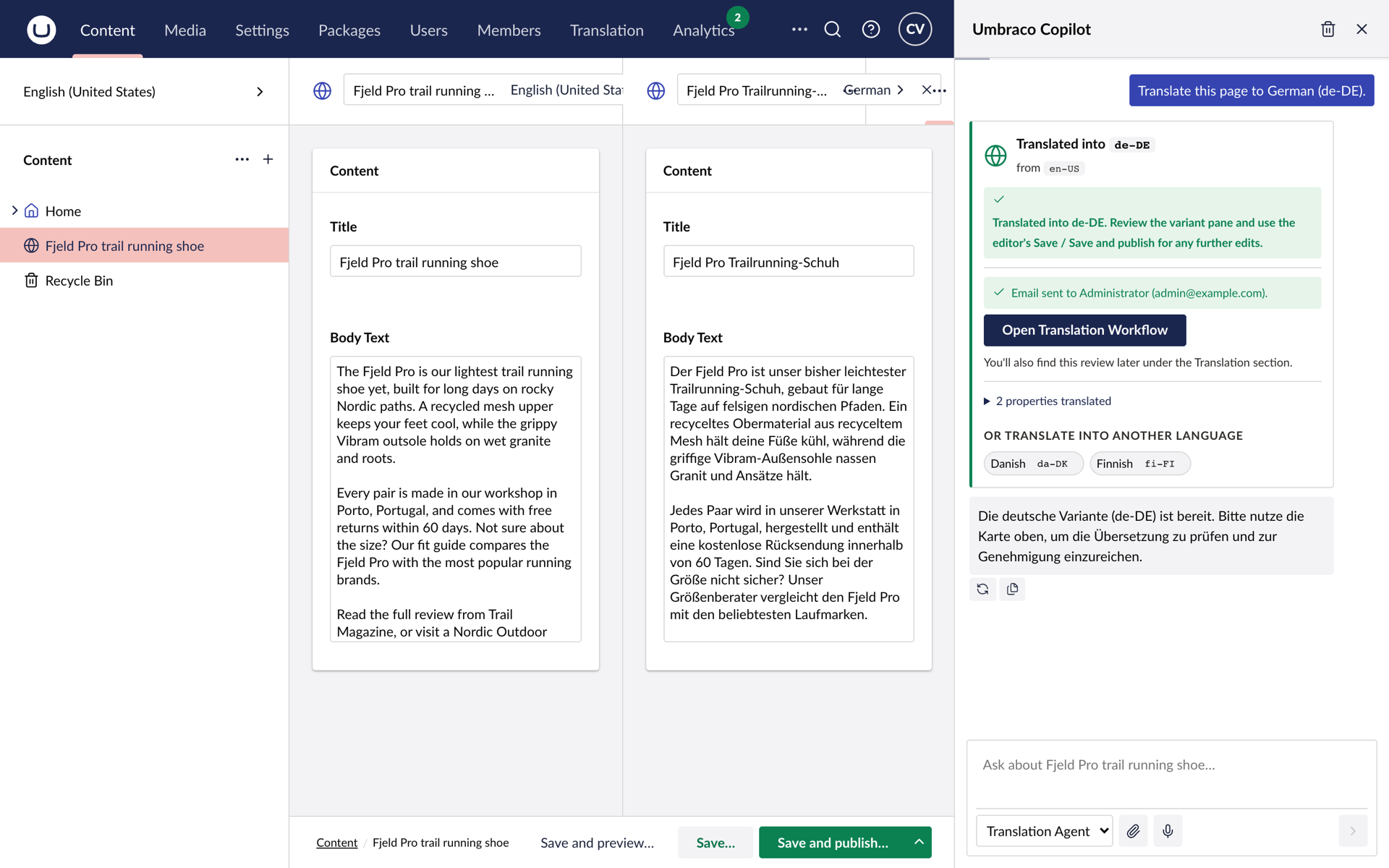
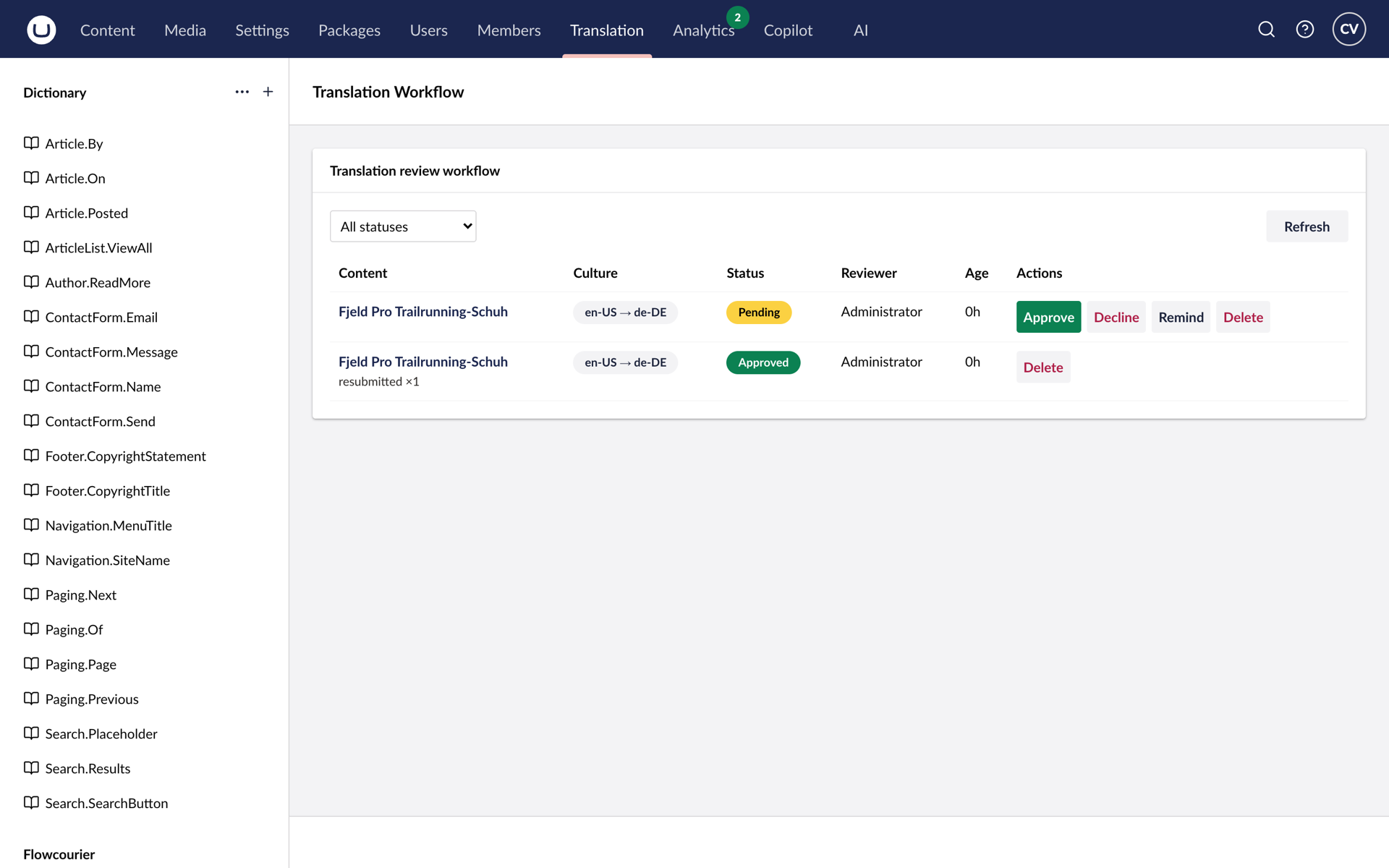
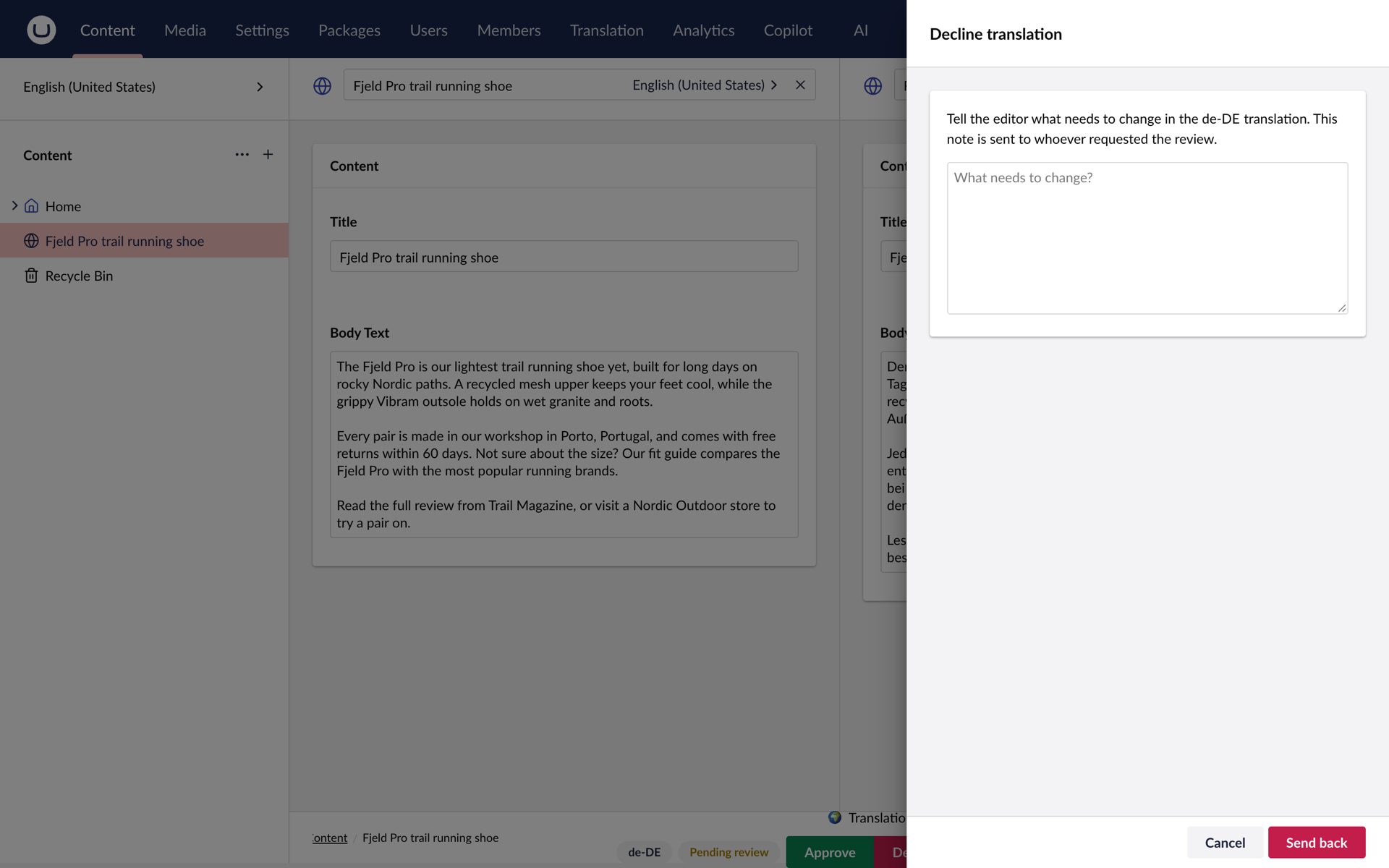
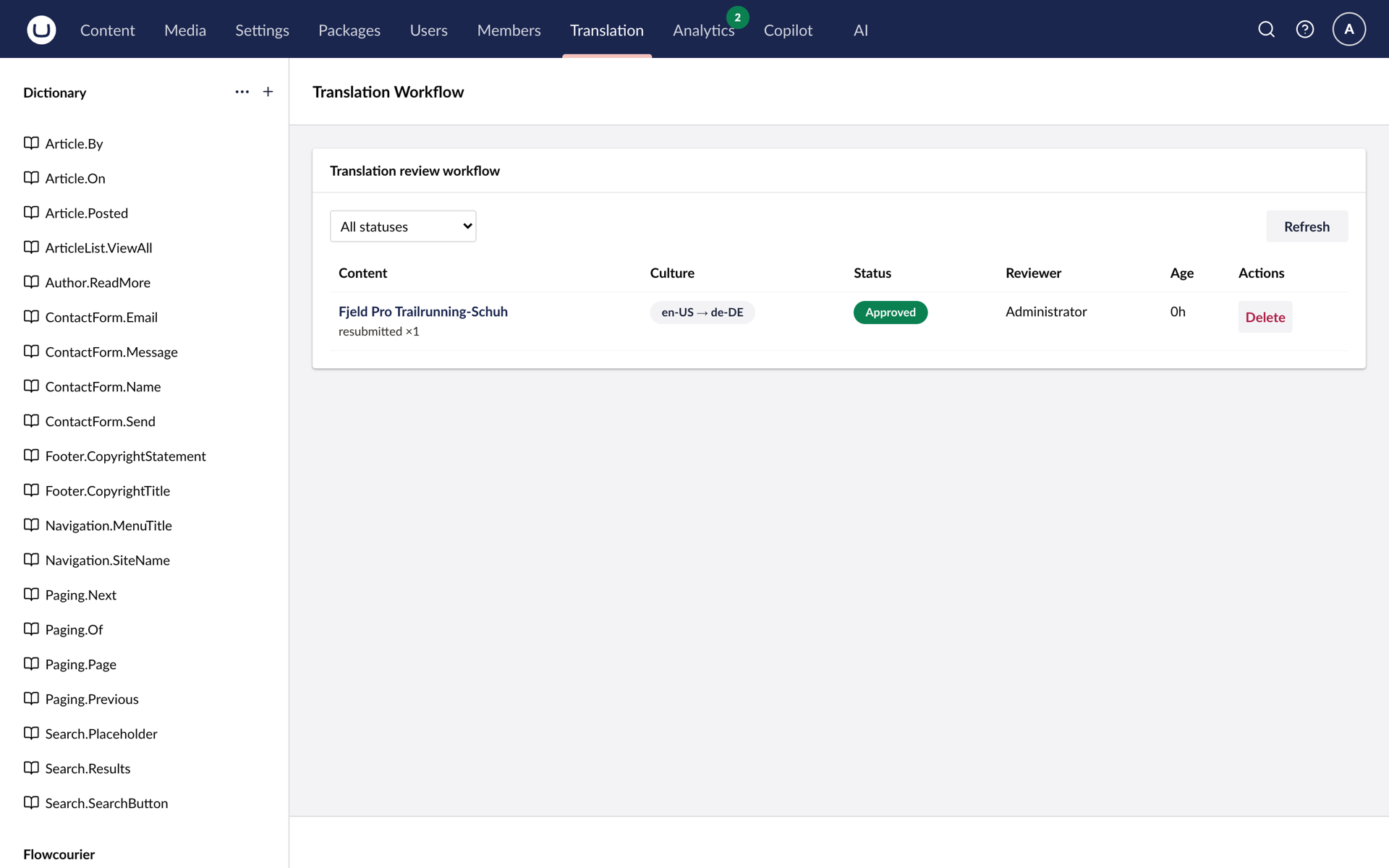
Send for approval picks a reviewer from your backoffice users. They get a read-only preview and a direct link to the variant, approve or decline with a note from the workspace footer, and reminders chase pending reviews automatically. Every review is listed on the Translation Workflow dashboard.
Structure stays intact
Rich text keeps its tags, Block List and Block Grid keep their GUIDs and aliases. Only human-readable text is translated.
Style from what you published
Point at pages already translated and their approved translations become the agent's tone and terminology examples.
Dictionary items too
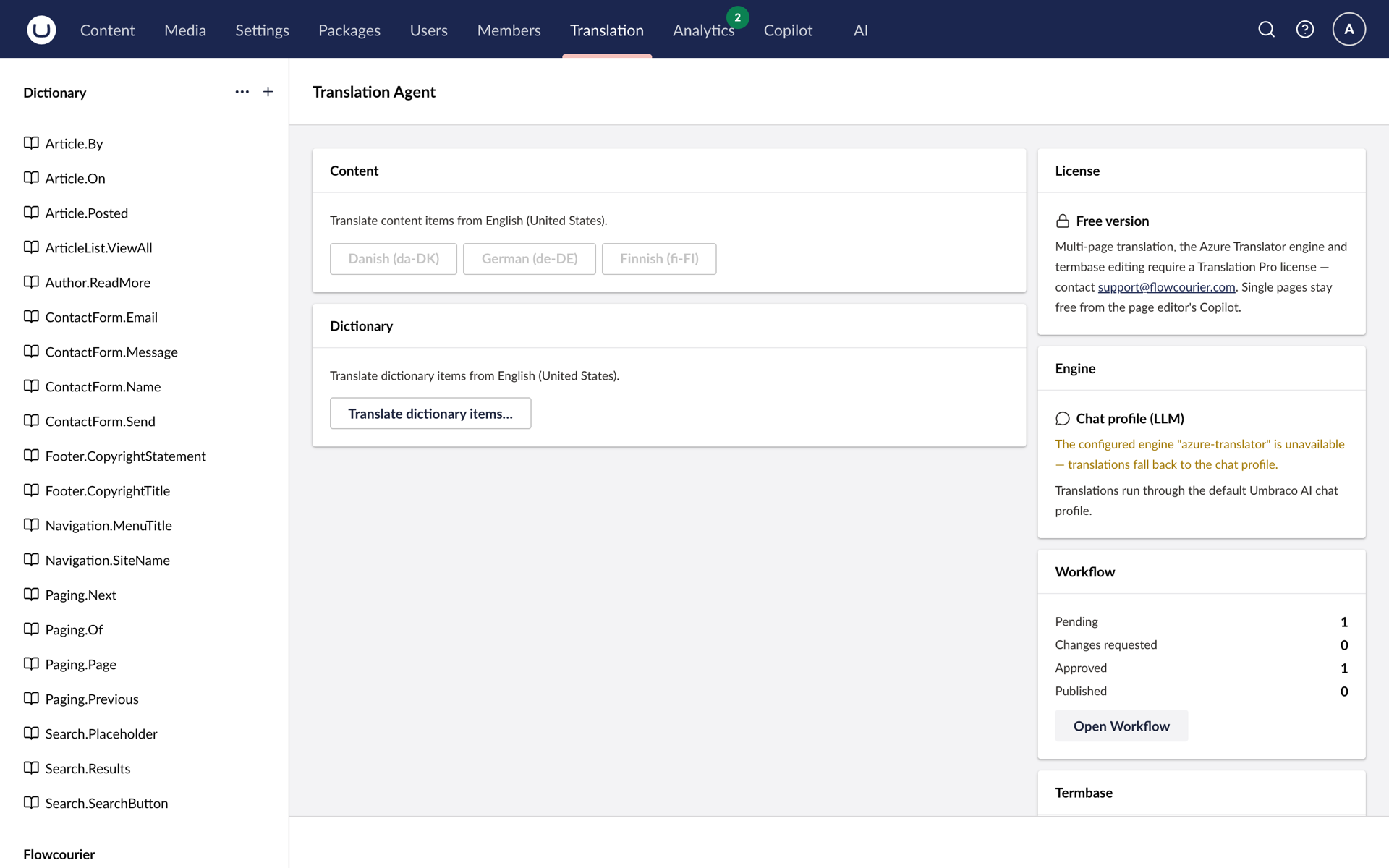
Translate dictionary items from the same view - free in every edition.
See it in the backoffice
Simple pricing
Start free. Pay once per site to translate at scale. No subscription.
Free
€0
Translate a page from the Copilot, then get it approved.
- Single-page translation from the Copilot
- Review workflow with approval emails and reminders
- Dictionary item translation
- No key, commercial use included
Translation Pro
Translate at scale€1,299 per site · one payment
Translate whole sections and sites, on your terms.
- Everything in Free
- Multi-page and entire-site batches, one approval email per batch
- Azure Translator: more than 100 languages through your own resource
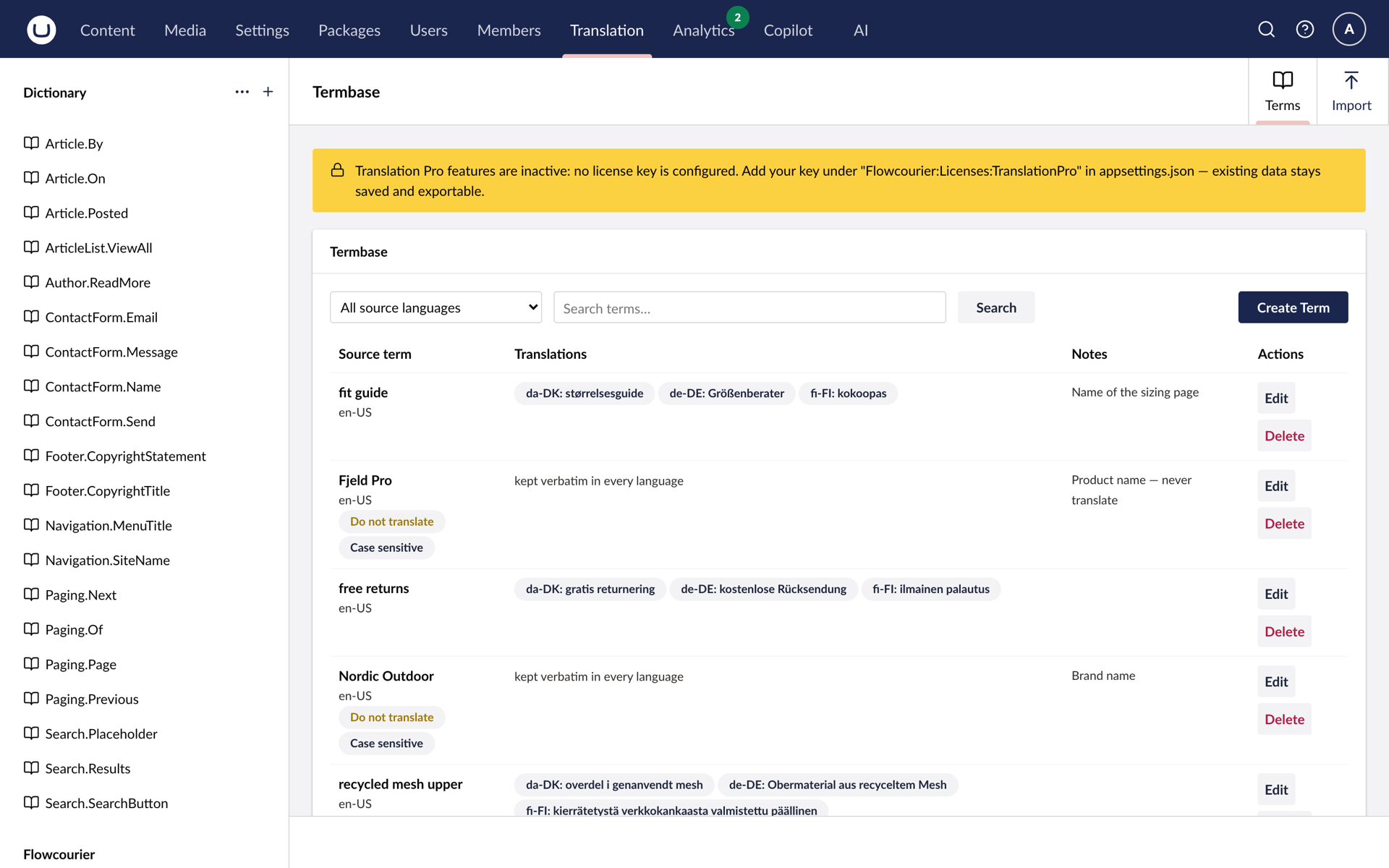
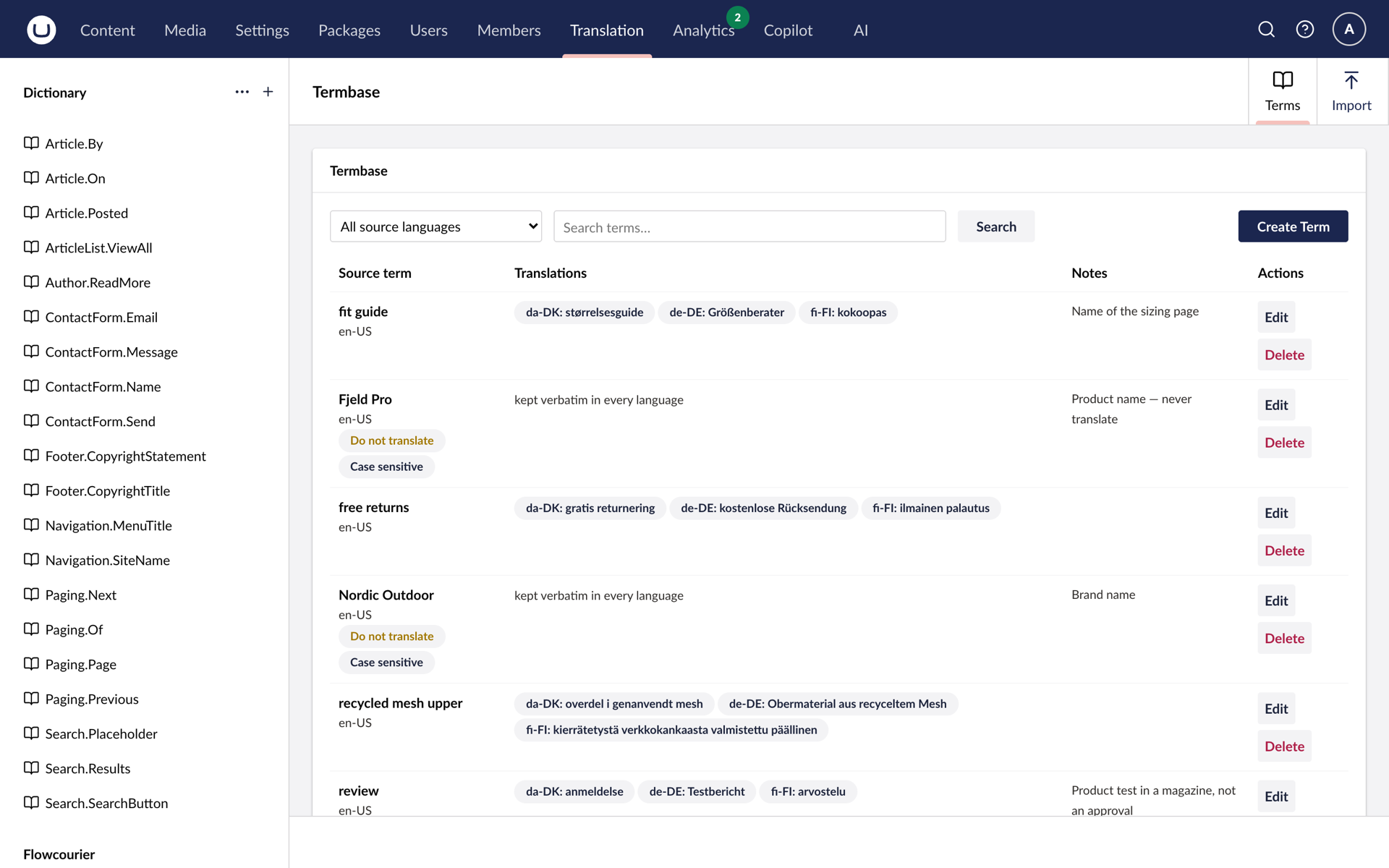
- Termbase: approved and do-not-translate terms, enforced
- Covers Umbraco 17 up to the next LTS, 21, updates included
Translation usage is billed by your AI or Azure provider, not by us.
Prices exclude VAT. We invoice in EUR.
Compare editions
| Feature | Free | Translation Pro |
|---|---|---|
| Translation | ||
| Single-page translation from the Copilot or the workspace footer | ||
| Node name, rich text, Block List and Block Grid, structure untouched | ||
| Draft in the target culture only, source never modified | ||
| Style examples from pages you already translated | ||
| Translation knowledge from an Umbraco AI Context | ||
| Dictionary item translation | ||
| Multi-page and entire-site batches, one approval email per batch | – | |
| Review | ||
| Send for approval, approve or decline with a note, reminders | ||
| Translation Workflow dashboard | ||
| Engines and terms | ||
| Your Umbraco AI chat profile as the engine | ||
| Azure Translator engine, more than 100 languages | – | |
| Termbase: approved and do-not-translate terms, enforced | Read-only | |
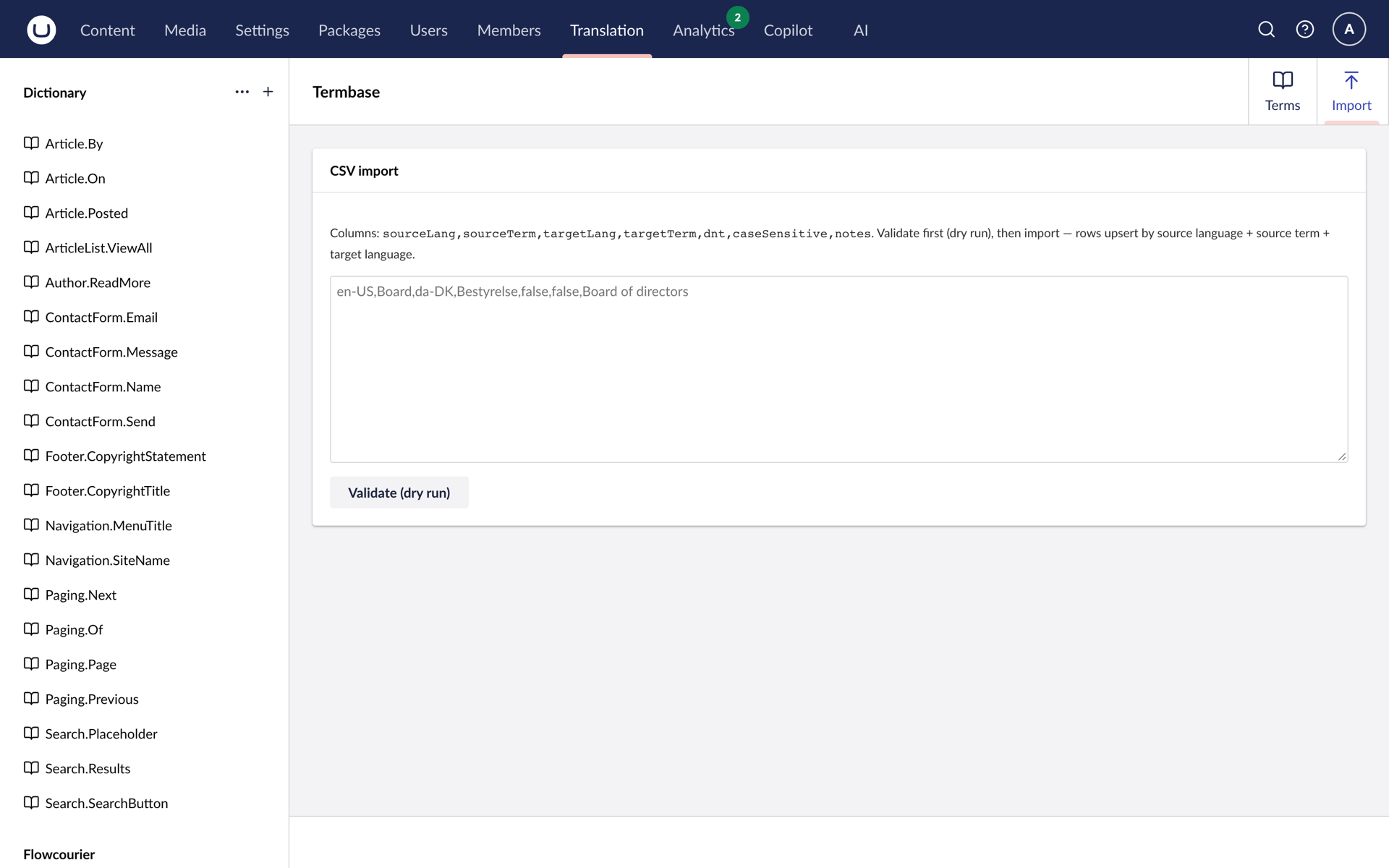
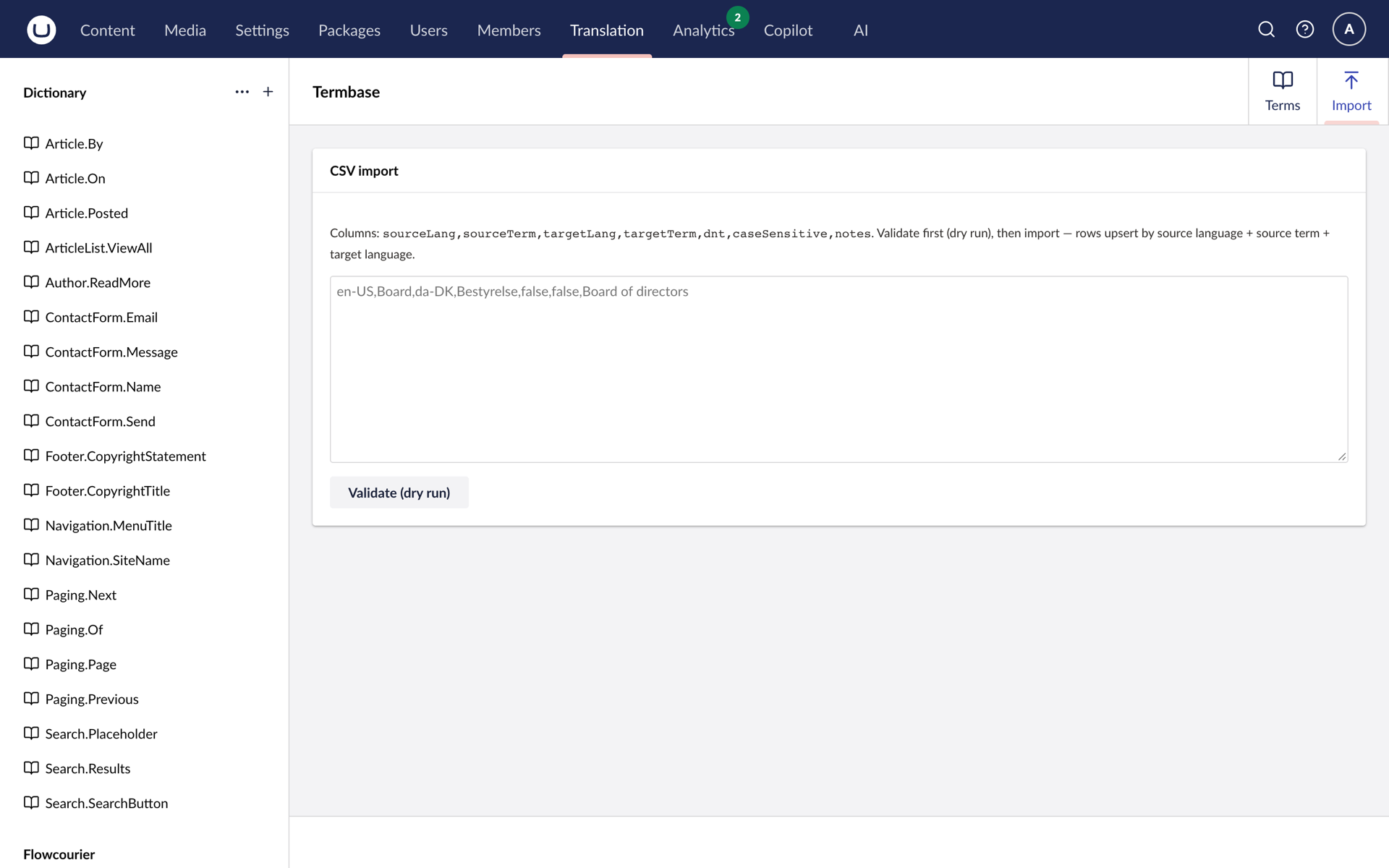
| CSV import for the termbase with a validating dry run | – | |
| Translation Engine health check and connection test | – | |
| Licence | ||
| Key | None | Translation Pro key |
| Price | €0 | €1,299 per site · one payment |
FOR DEVELOPERS
Up and running in four steps
The short version. The full guide with screenshots, configuration reference and troubleshooting is in the developer docs.
-
1 · Prepare the site
Umbraco AI with a chat profile, content types that vary by culture with the target languages added under Settings → Languages, and SMTP under Umbraco:CMS:Global:Smtp for the approval emails.
Backoffice -
2 · Install the package
dotnet add package Flowcourier.Umbraco.AI.Agents.Translation. The agent registers itself with the Copilot and creates its review table on the next startup.
Terminal -
3 · Grant the Translation section
Reviewers and editors who use the Translation Workflow dashboard need the Translation section under Users → Groups. Reviewers must be backoffice users with an email address.
Backoffice -
4 · Optional: tune the workflow
Flowcourier:TranslationReview sets PublishOnApprove, reminder timing and the maximum number of reminders. A Translation Pro key goes under Flowcourier:Licenses:TranslationPro.
appsettings.json
What do I need before installing?
Umbraco 17.5 or later with the Umbraco AI Copilot and a chat profile, content types that vary by culture with the target languages added, and SMTP for the approval emails.
Is the source language ever touched?
No. The agent saves a draft in the target culture only. The source variant is never modified.
Where does my content go?
To the LLM behind your own Umbraco AI chat profile, or to your own Azure Translator resource. Never through Flowcourier.
Is anything limited in the free edition?
No. Single-page translation, the review workflow with reminders, the Translation Workflow dashboard and dictionary translation are free, with no key and no domain restriction, on commercial sites too. The paid features are batch translation, the Azure Translator engine and termbase editing.
What do I need for Translation Pro besides the key?
For the Azure engine, your own Azure Translator resource. Its F0 tier is free for two million characters a month; translation usage is billed by your provider, not by us.
Translation Pro guide →Is it a yearly fee?
No. One payment per site. A key covers Umbraco 17 and every version up to and including Umbraco 21, the next long-term support release, with every package update in between. After that, you order an upgrade key for the next cycle.
What counts as a site?
The public domains listed on the key. Every environment under a listed domain works, local hosts always work, and a multi-site install needs each public domain on the key.
How do I install the key, and what happens without one?
Put it under Flowcourier:Licenses:TranslationPro in appsettings or an environment variable. Without a key, or when a trial expires, translation keeps working exactly like the free package: the chat-profile engine translates, batch runs and the Azure engine are off, and the termbase stays readable and exportable with changes blocked. The licence state is shown under Settings, Flowcourier, Translation Pro.
See the Translation Agent in action
Book a demo and we walk through a translation, the approval email and the reviewer's side on a live site.