

Translations
Translations
Section titled “Translations”All visitor-facing text is resolved through the Umbraco Dictionary, so translations follow your normal Umbraco translation workflow under Translation → Dictionary. The banner automatically uses the language of the current page.
All keys are nested under the parent key FlowcourierCookieConsent.
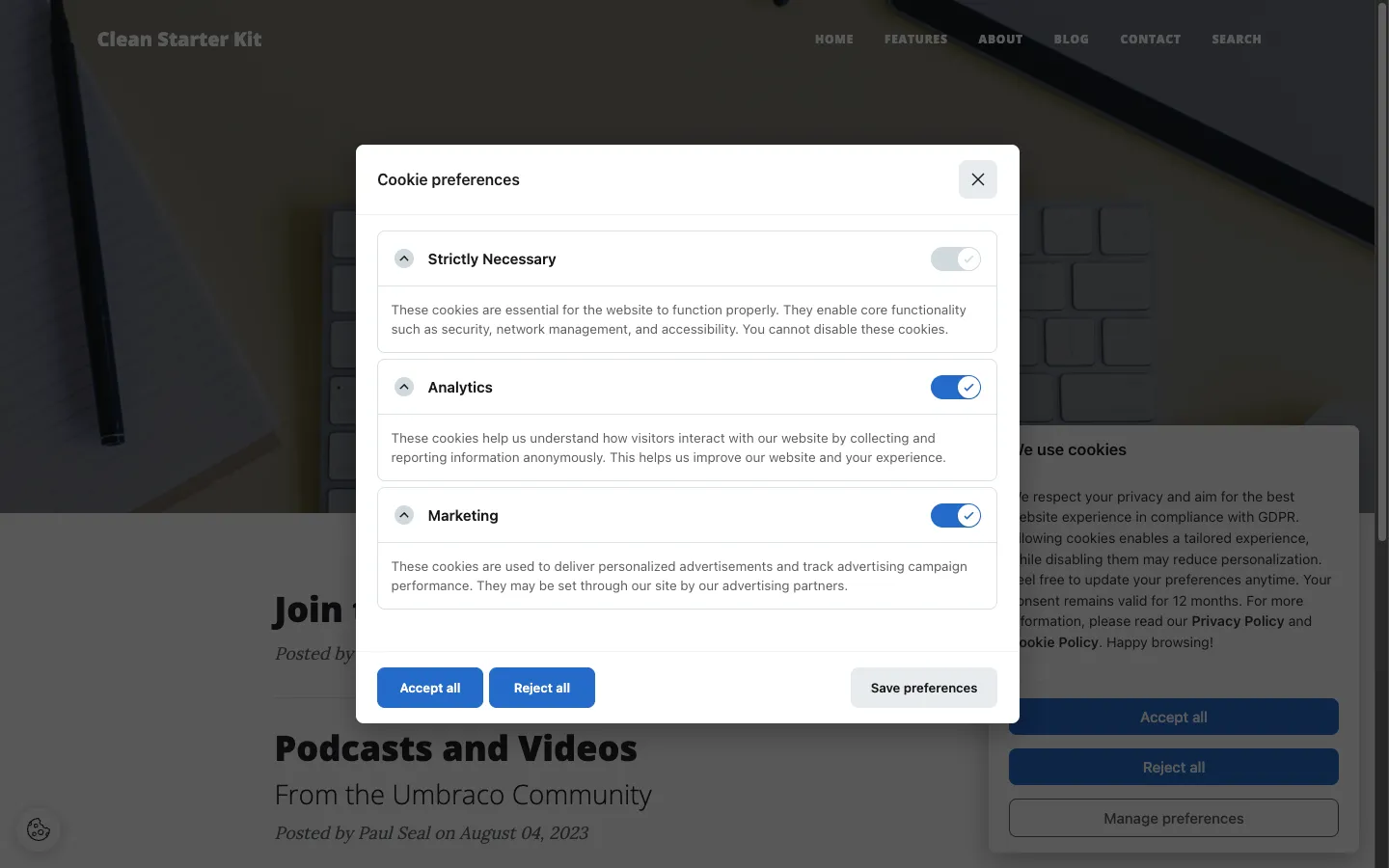
Banner texts
Section titled “Banner texts”| Key | English default |
|---|---|
FlowcourierCookieConsent.Modal.Title |
We use cookies |
FlowcourierCookieConsent.Modal.Description |
We use cookies to enhance your experience. By continuing to visit this site you agree to our use of cookies. |
FlowcourierCookieConsent.Modal.AcceptAll |
Accept all |
FlowcourierCookieConsent.Modal.RejectAll |
Reject all |
FlowcourierCookieConsent.Modal.ManagePreferences |
Manage preferences |
FlowcourierCookieConsent.Modal.Close |
Close |
Preferences modal
Section titled “Preferences modal”| Key | English default |
|---|---|
FlowcourierCookieConsent.Preferences.Title |
Cookie preferences |
FlowcourierCookieConsent.Preferences.Description |
Choose which cookies you want to accept. |
FlowcourierCookieConsent.Preferences.SavePreferences |
Save preferences |
FlowcourierCookieConsent.Preferences.AcceptAll |
Accept all |
FlowcourierCookieConsent.Preferences.RejectAll |
Reject all |
Category labels
Section titled “Category labels”Each category’s title and description are dictionary keys, e.g.:
| Key | English default |
|---|---|
FlowcourierCookieConsent.Category.Necessary.Title |
Necessary |
FlowcourierCookieConsent.Category.Analytics.Title |
Analytics |
FlowcourierCookieConsent.Category.Marketing.Title |
Marketing |
FlowcourierCookieConsent.Category.Preferences.Title |
Preferences |
…with matching .Description keys for each.
- Missing dictionary entries fall back to the English defaults, so you can translate incrementally.
- Remember that under Danish guidance (Datatilsynet), the banner text must clearly describe the purposes — avoid vague descriptions like “to improve your experience” for marketing cookies in your translations.