SEO Agent

SEO Agent
Section titled “SEO Agent”The SEO Agent suggests optimized values for the SEO fields of the page you are editing — meta title, meta description and similar metadata properties — based on the page’s actual content.
Prerequisites: Umbraco AI with a Chat profile. That’s all — the SEO Agent works out of the box once installed, with one optional setting to pin down which fields it fills. It sends no email, so SMTP is not required for it.
Install
Section titled “Install”dotnet add package Flowcourier.Umbraco.AI.Agents.SeoNo composer or startup code is needed. On the next startup the agent registers itself with the Umbraco AI Copilot (a Chat profile must exist first).
How editors use it
Section titled “How editors use it”-
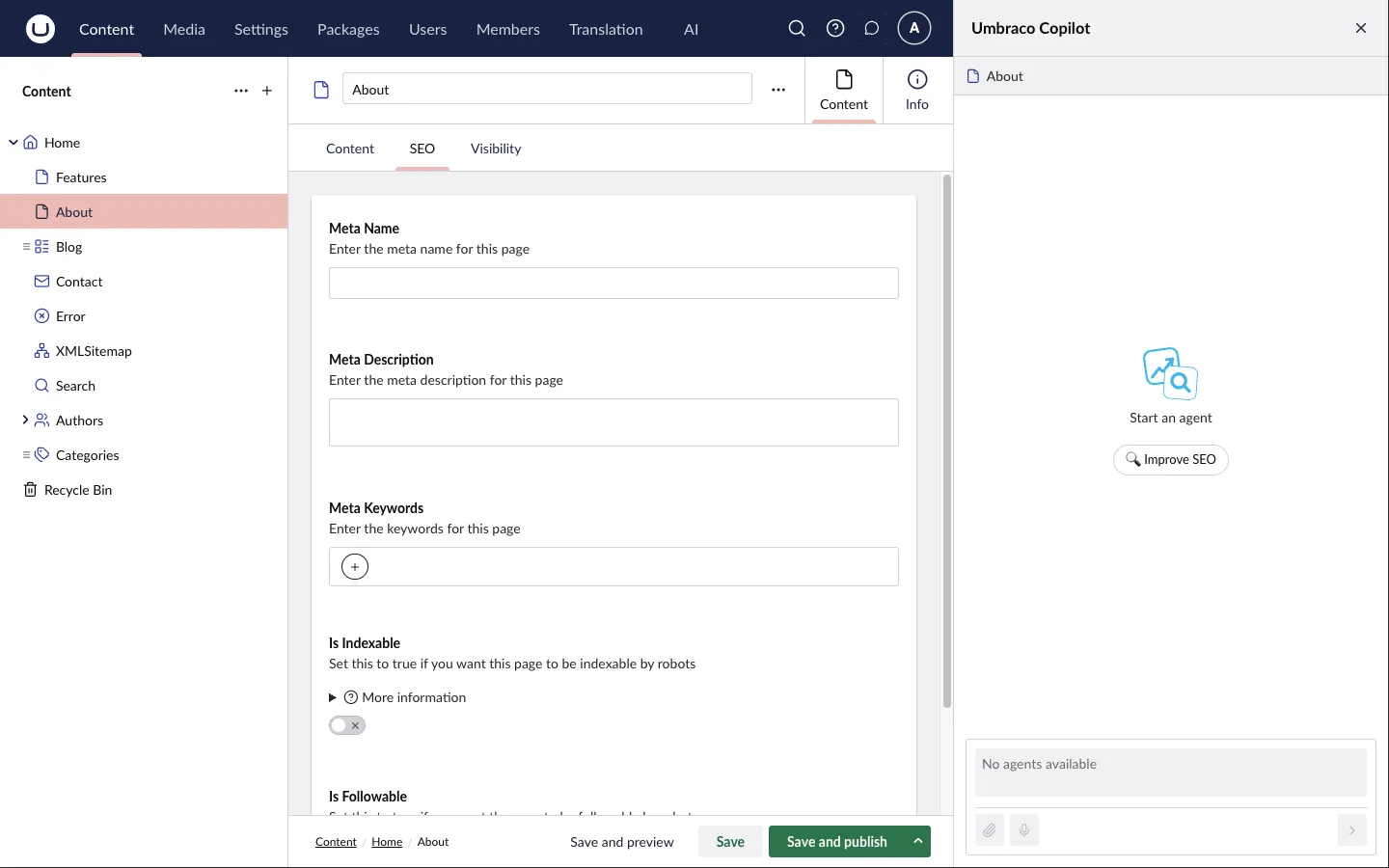
Open a content page and launch the Copilot.
-
Pick the SEO Agent and use the “Improve SEO” starter, or ask it in your own words to suggest or improve the SEO fields.
-
The agent reads the page’s properties and text, identifies which fields are SEO/metadata fields — including custom property names, not just the standard ones — and proposes optimized values.
-
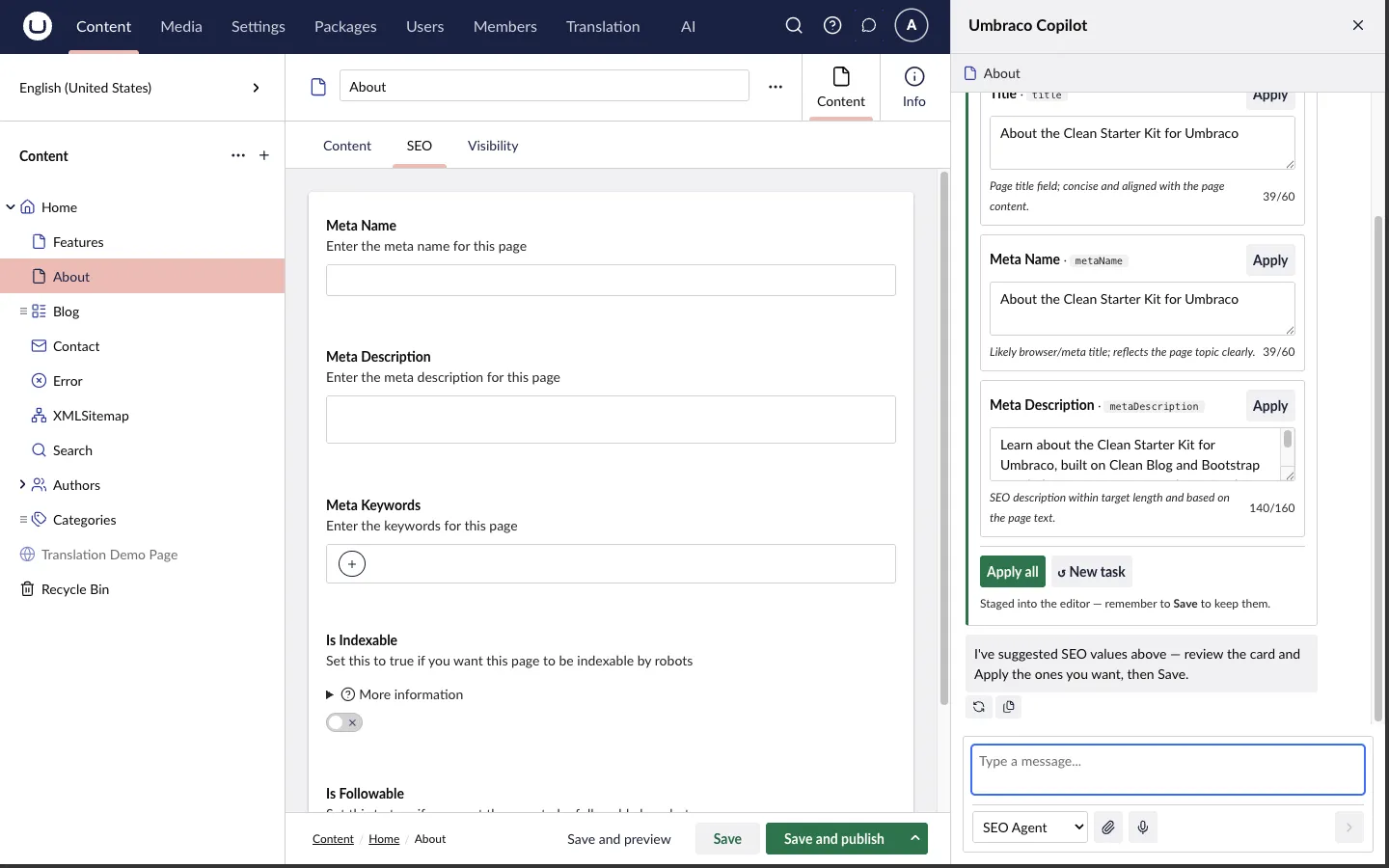
The suggestions come back as cards, one per field, each with a character count and an explanation. Apply the ones you want (or Apply all) — applied values are staged into the open editor, not saved. Adjust if needed and click Save yourself.
On multi-language sites the agent works per culture: it reads and suggests values for the language variant you currently have open.
What it optimizes
Section titled “What it optimizes”- Meta title — aims for at most 60 characters.
- Meta description — aims for 140–160 characters.
- Other metadata-style text fields it identifies on the page.
- Meta keywords are deliberately skipped — search engines ignore them. (Exception: a keywords field you explicitly list in
Flowcourier:Seo:Fieldsis honored — see below.)
The agent makes a single model call per request and never writes to the database; the editor stays in control of what gets saved.
appsettings reference
Section titled “appsettings reference”Flowcourier:Seo
Section titled “Flowcourier:Seo”| Setting | Default | Meaning |
|---|---|---|
Fields |
(empty) | The properties the agent is allowed to populate, by property alias or friendly name (case-insensitive). Empty: the AI decides which of the page’s properties are SEO/metadata fields. Non-empty: only the listed properties are sent to the model and populated. |
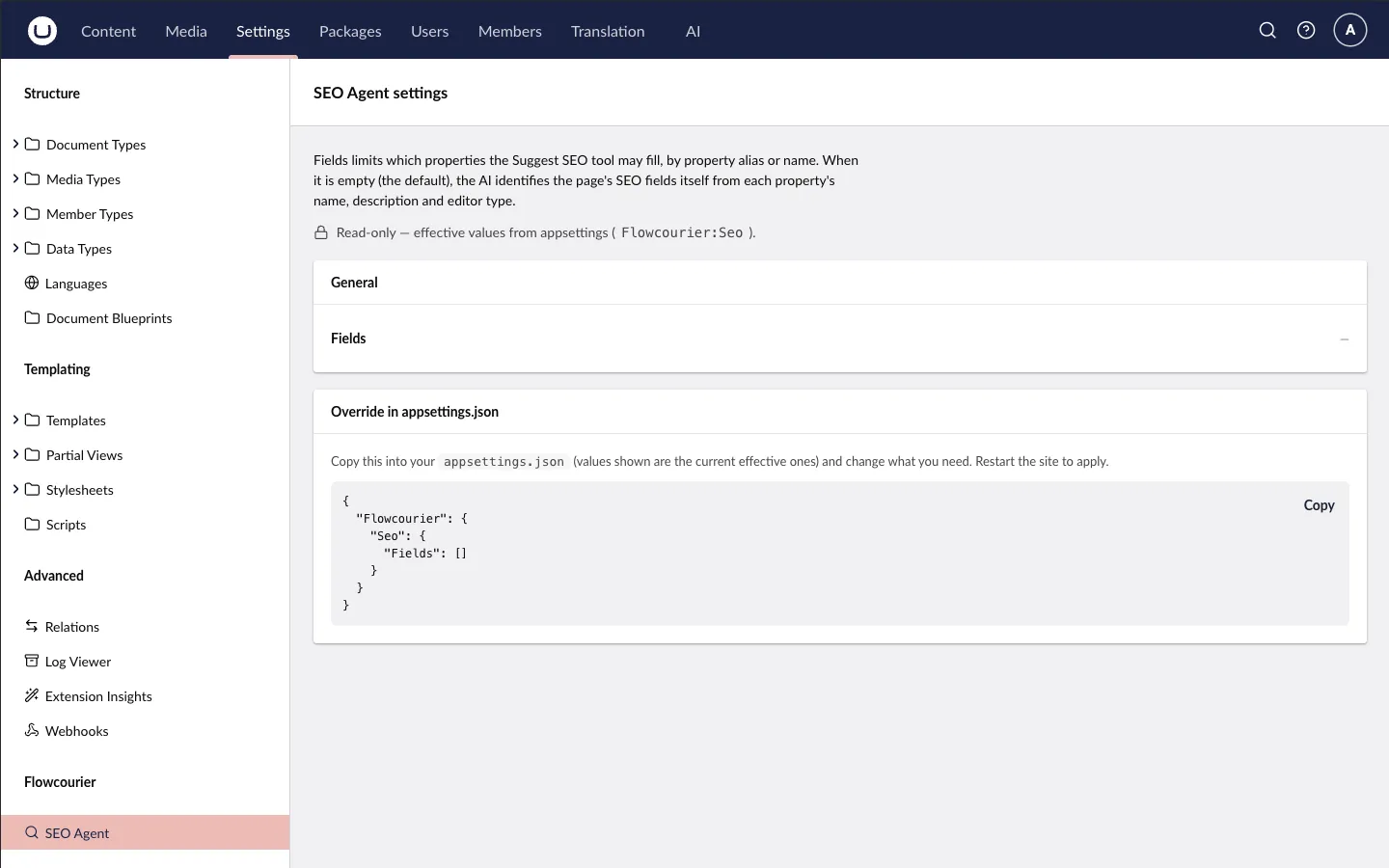
{ "Flowcourier": { "Seo": { "Fields": ["metaName", "metaDescription"] } }}How the two modes differ:
- Auto (empty list, default) — every property goes to the model, which classifies the SEO/metadata fields itself and suggests values for them.
- Explicit list — only the listed properties are sent, and the agent populates every one of them, inferring what kind of value fits each field from its name, description and editor type. The page-content corpus is still built from all properties, so suggestions stay grounded in the full page.
Details worth knowing:
- An explicitly listed meta-keywords field is populated — the keywords skip only applies in auto mode. If you list it, you get it.
- Entries that don’t exist on the open content type are ignored for that page. If none of the configured fields exist on it, the agent replies with a clear message pointing at the setting instead of silently doing nothing.
Settings page
Section titled “Settings page”Under Settings → Flowcourier → SEO Agent you’ll find the agent’s settings page. It shows the effective field configuration, including a copyable snippet for overriding it in appsettings.